

You turn a territory into a campaign-ready contact list by selecting the target area, saving the relevant properties, enriching the records you need, organizing the contacts, and exporting the final list.
A campaign list is the end of the prospecting workflow: territory list → enrich → organize → export. That sequence is how map data becomes mailers, dialers, or door sheets. Run it end-to-end with map-based prospecting so every step stays tied to the same audience.
How to do it
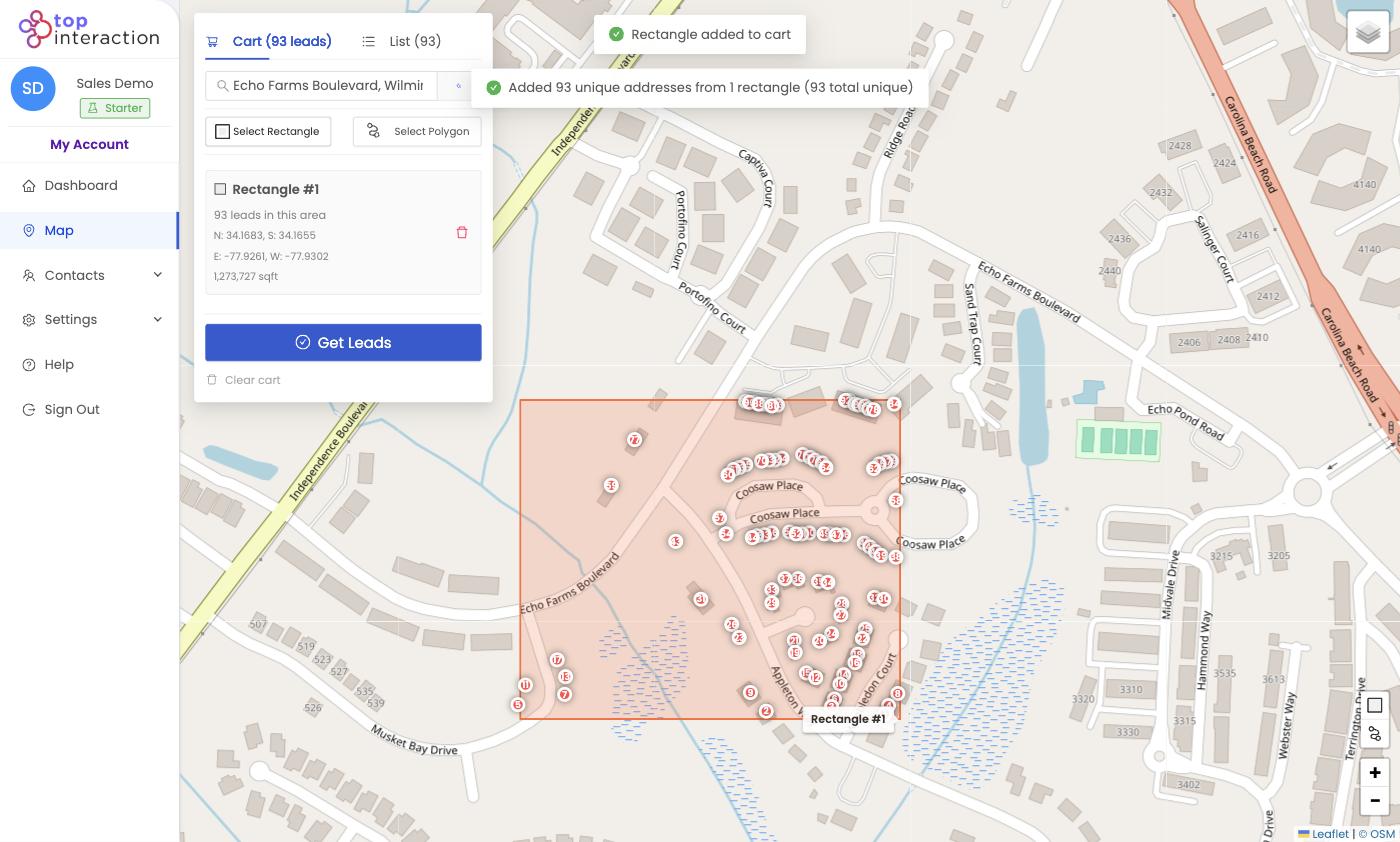
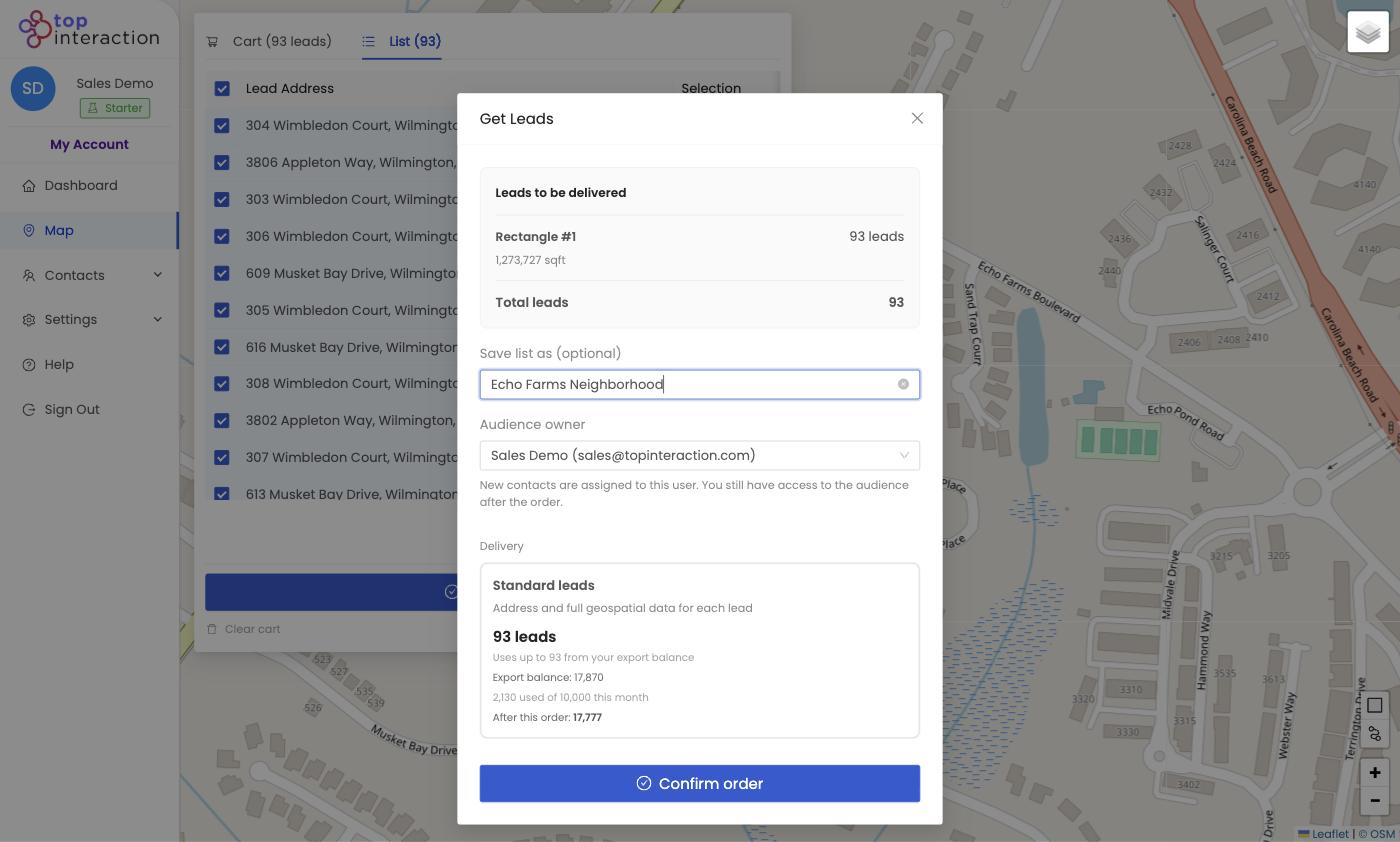
- Pull the area on the Map with Get Leads so it lands in Contacts as an audience.
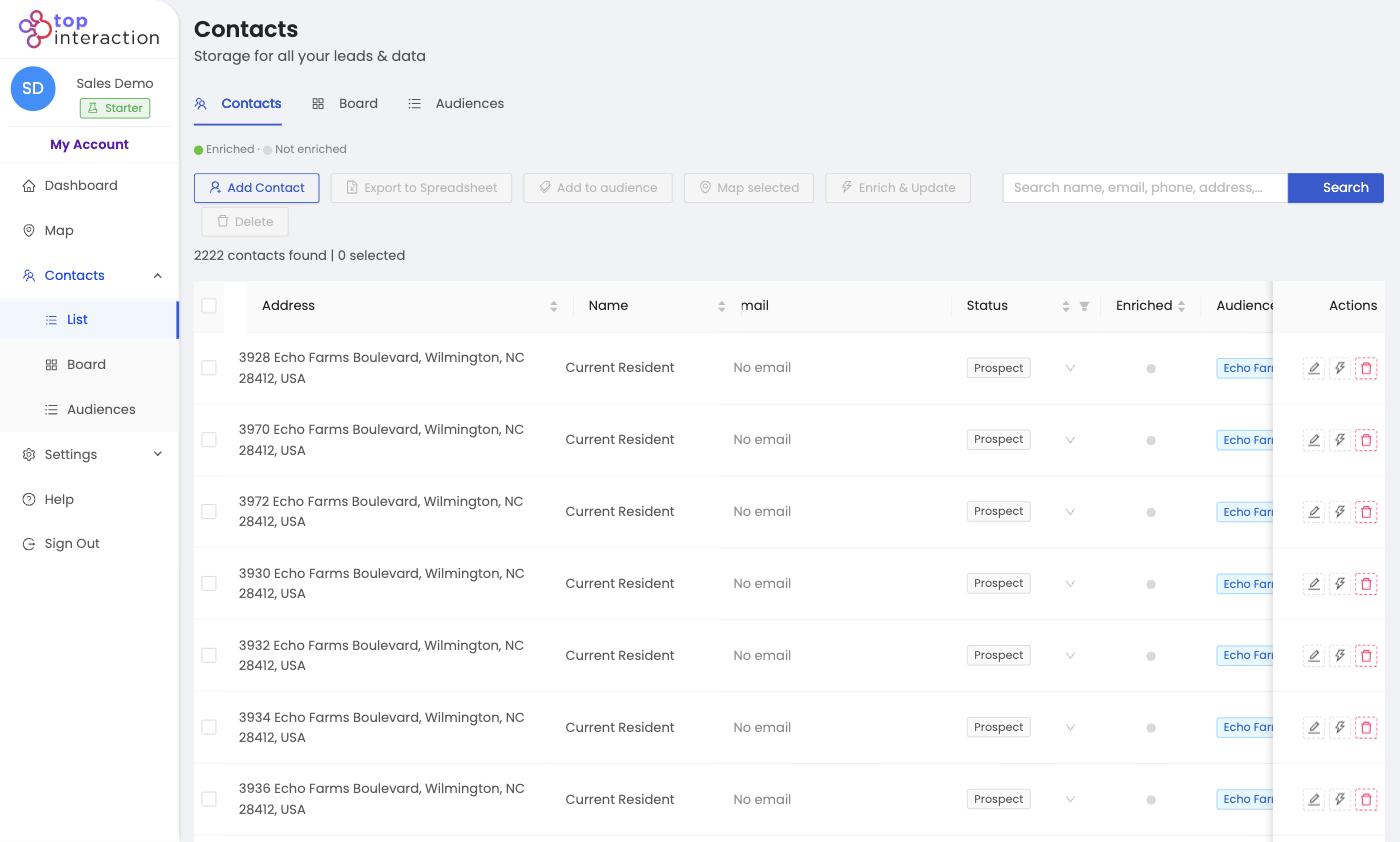
- Enrich the list with Enrich & Update to add owner names and contact details.
- Clean it — filter out anything off-target and set statuses so reps know the plan.
- Export to Spreadsheet (or work it in-app) for your mail house, dialer, or canvassing crew.
See it in action
FAQ
How is this different from just pulling a list?
Pulling gets addresses. A campaign-ready list is enriched, cleaned, and organized so outreach is personalized and on-target.
Do I have to enrich the whole thing?
Enrich the segment you’ll actually contact — that’s enough for personalization without spending extra credits.
Can I reuse the list across channels?
Yes — one saved audience can feed mail, calls, and door-knocking, and be re-worked over multiple rounds.
