

You can build a homeowner list for a neighborhood by selecting the geographic area, identifying the properties inside it, and organizing the available homeowner records.
A neighborhood homeowner list works like a focused homeowner database: every property owner list starts with the streets you choose, not a random CSV. With territory prospecting software, you draw the area, review what’s available, then organize and enrich only the contacts you plan to work.
How to do it
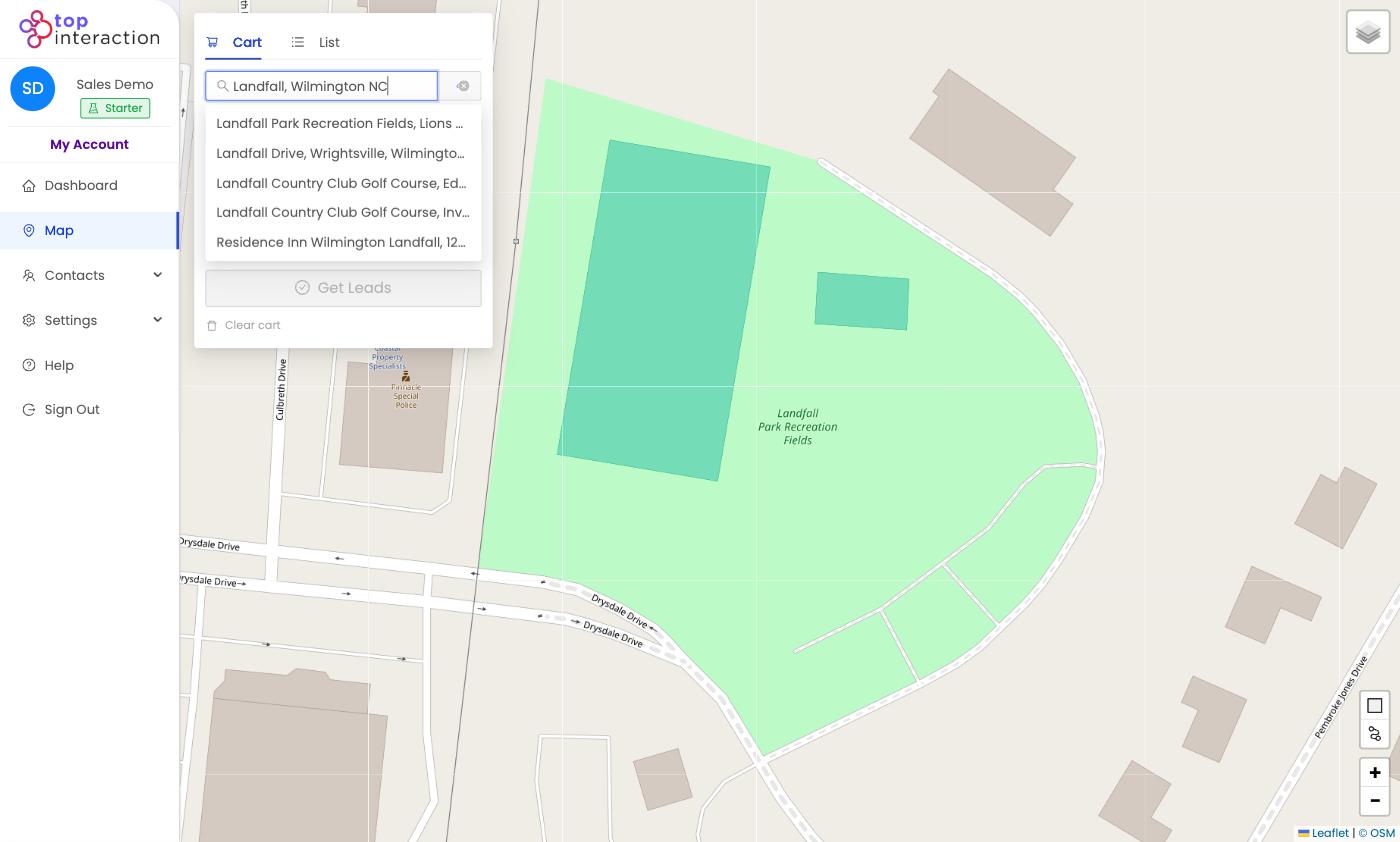
- Open the Map from the left menu and search a street, subdivision, or landmark in the “Search for an address” box.
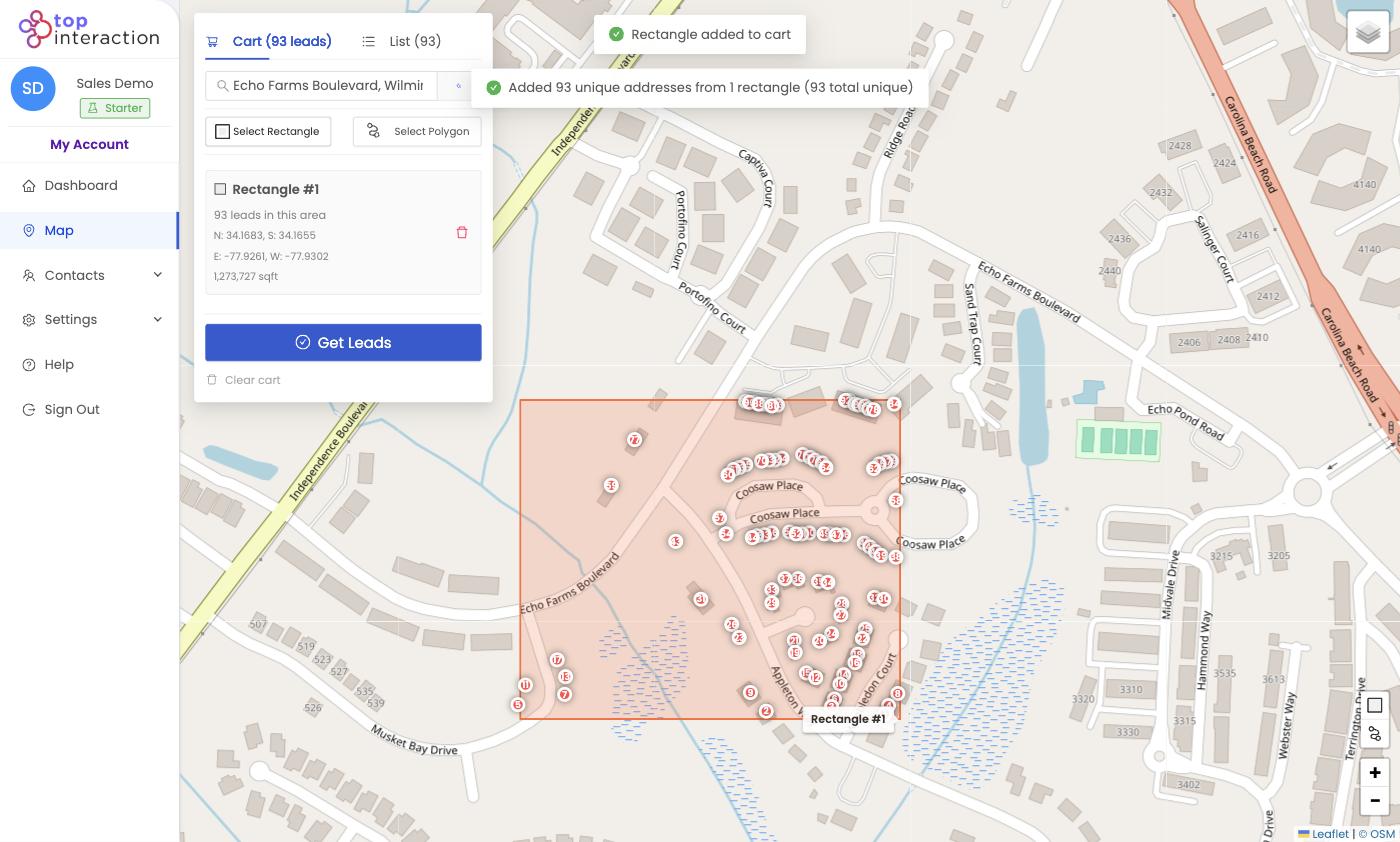
- Click Select Rectangle (or Select Polygon for an irregular boundary).
- Click and drag across the neighborhood, then release — Territory finds every address inside and drops a pin on each.
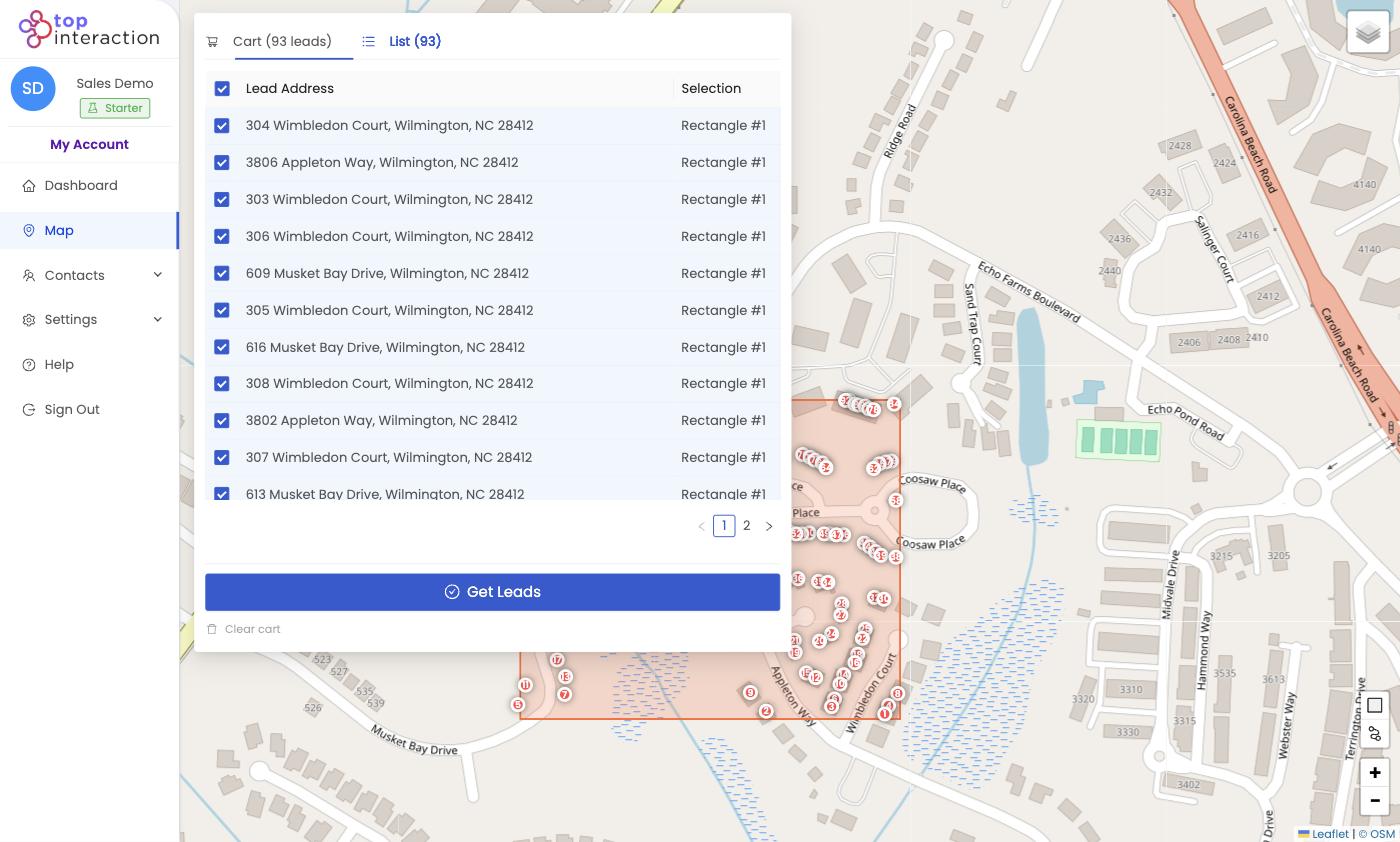
- Switch to the List tab to review every address; uncheck any you want to skip.
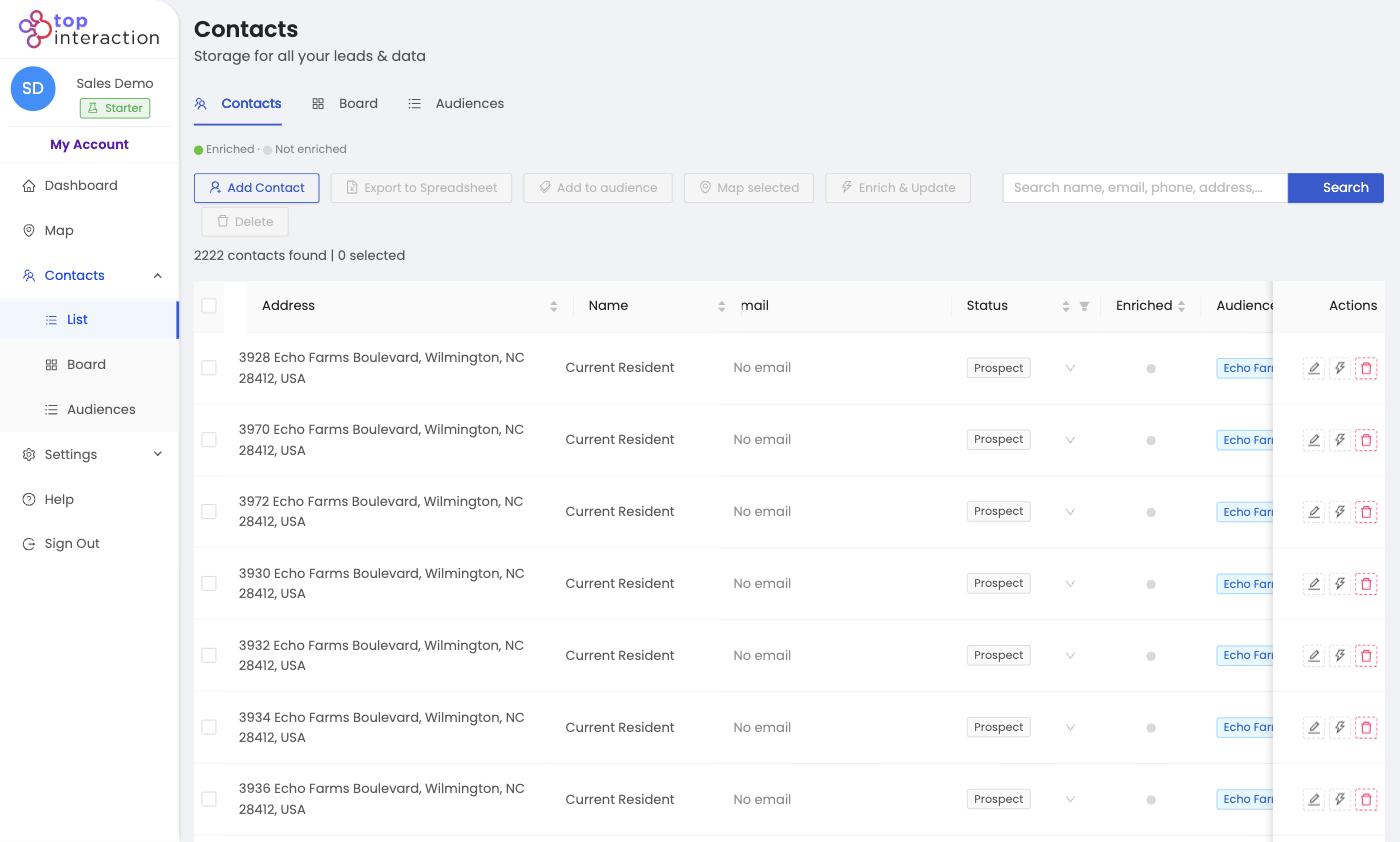
- Click Get Leads, name the list, and Confirm order. The homeowners appear in Contacts, tagged as an audience.
See it in action
FAQ
Rectangle or polygon — which should I use?
Rectangle is fastest for a quick block. Polygon lets you trace an exact subdivision that isn’t a neat rectangle.
Does drawing an area cost anything?
No — drawing and previewing are free. You only use export credits when you click Get Leads and confirm.
What comes with each contact?
A standardized mailing address and full geospatial data. Owner and contact details can be added with Enrich & Update.
