

You organize prospect contacts with named lists, tags, filters, statuses, and board stages so large territory campaigns stay searchable and actionable.
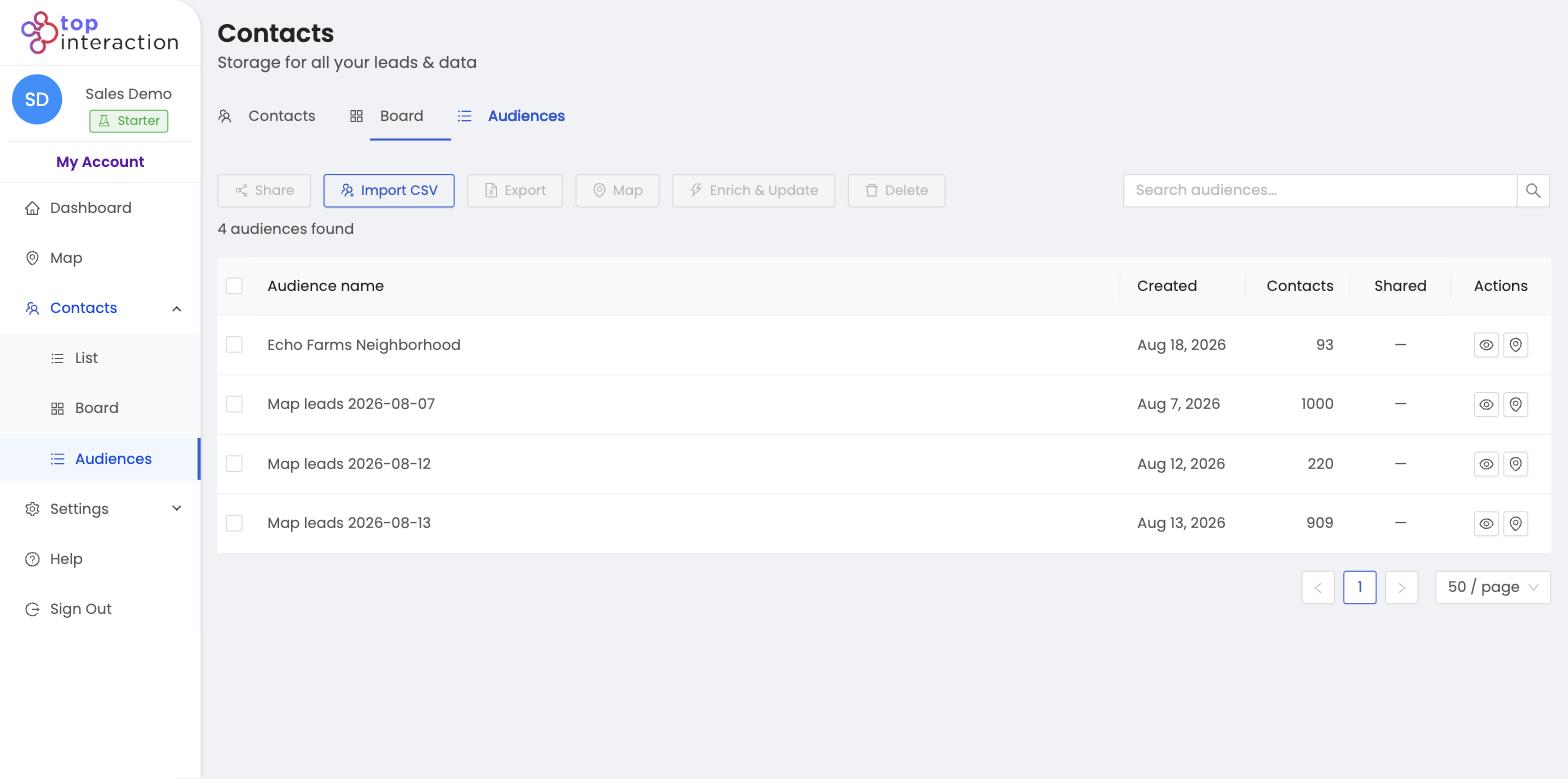
Contact management at scale needs prospect organization tools—not another spreadsheet tab. Sales lists (audiences), tags, filters, and statuses turn raw pulls into a repeatable workflow. Use build your first territory as the source of each audience, then keep every campaign tagged and filterable.
The four organizing tools
- Audiences (lists) — every territory you pull is a named group you can reopen and export.
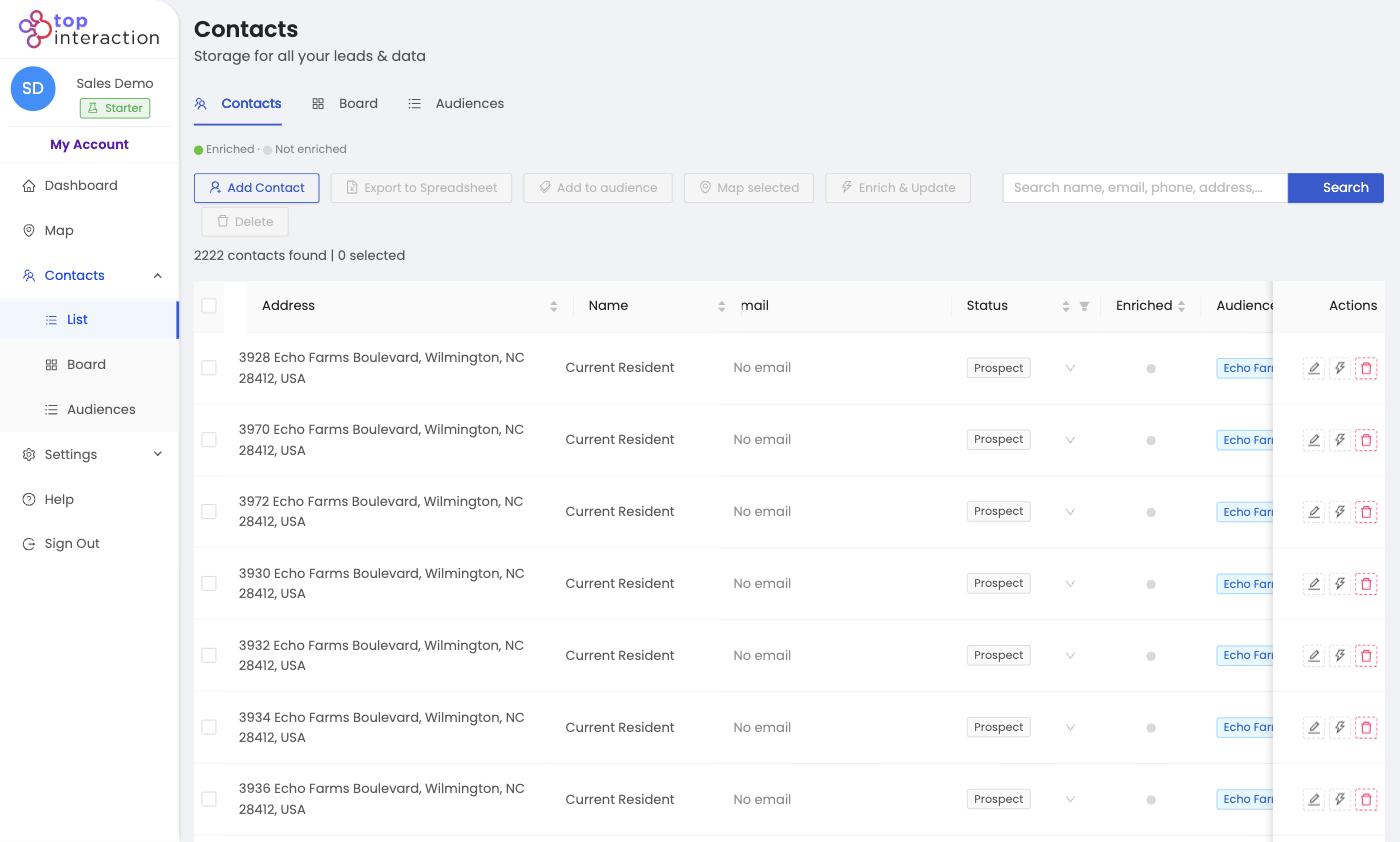
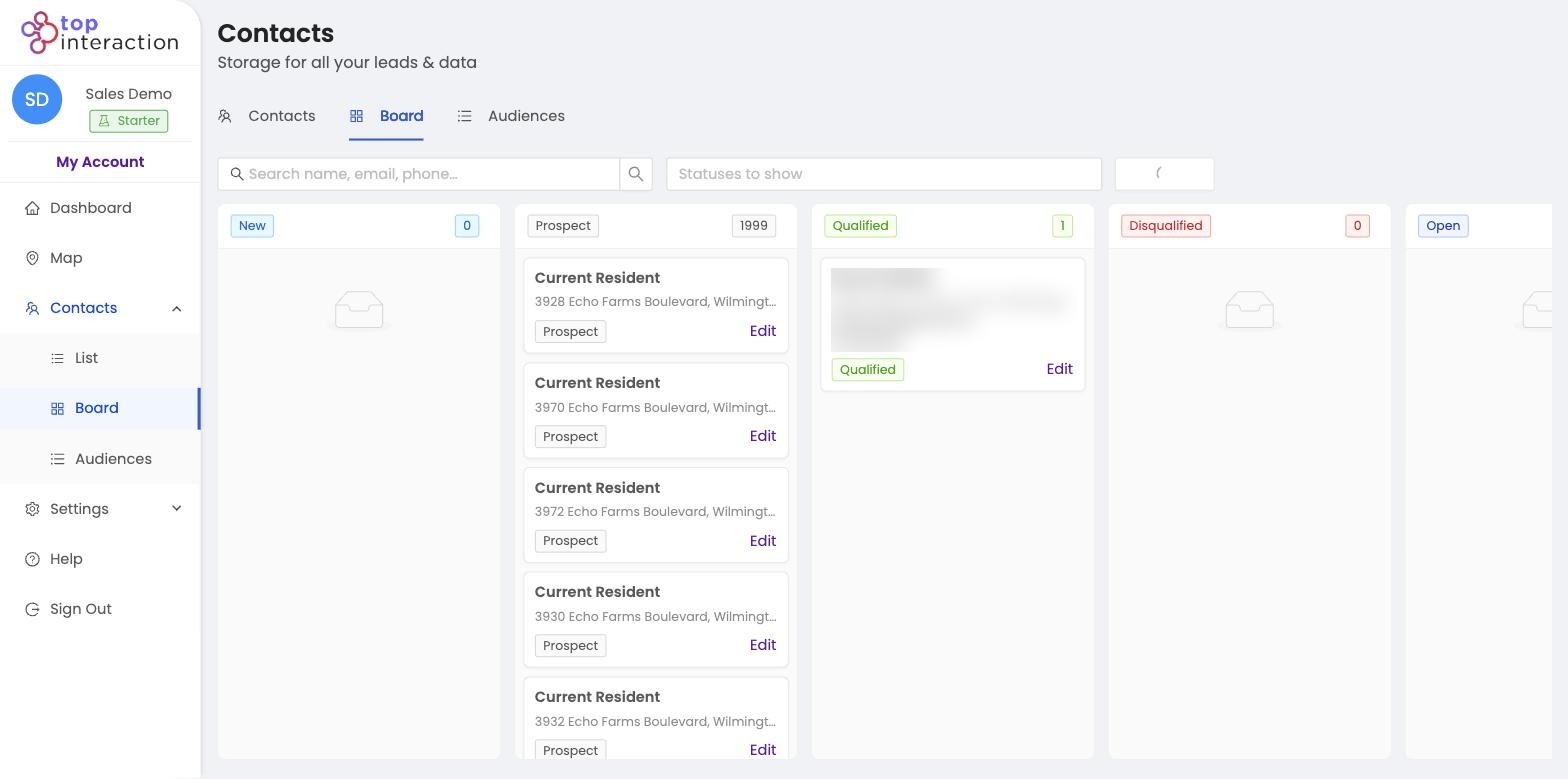
- Statuses — New, Prospect, Qualified, Disqualified, Open mark where each contact stands.
- Search & filters — narrow by name, email, phone, address, or status in List View.
- Board — see and move contacts by status at a glance.
A simple workflow
Pull a territory (creates an audience) → work it in List or Board → update statuses as you go → filter to the segment you want → export or enrich just that slice. Repeat per neighborhood.
See it in action
FAQ
What’s the difference between an audience and a status?
An audience is a saved group (usually a territory). A status is where an individual contact sits in your pipeline. A contact has one status but can belong to an audience.
Can I filter within one audience?
Yes — open the audience and use search/filters and statuses to work just that group.
How many audiences can I keep?
As many as you need — teams typically keep one per neighborhood, campaign, or rep.
