

Short answer
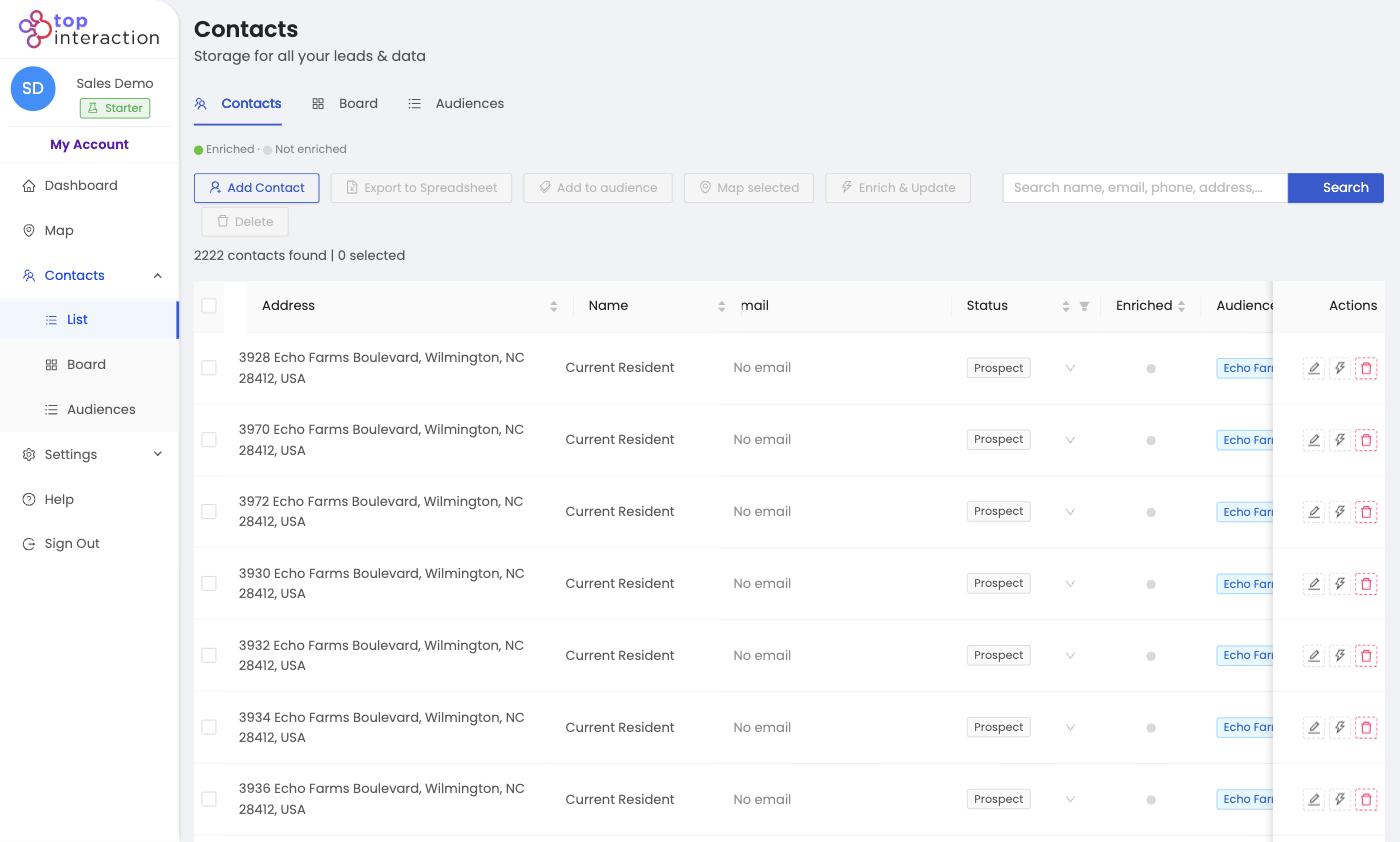
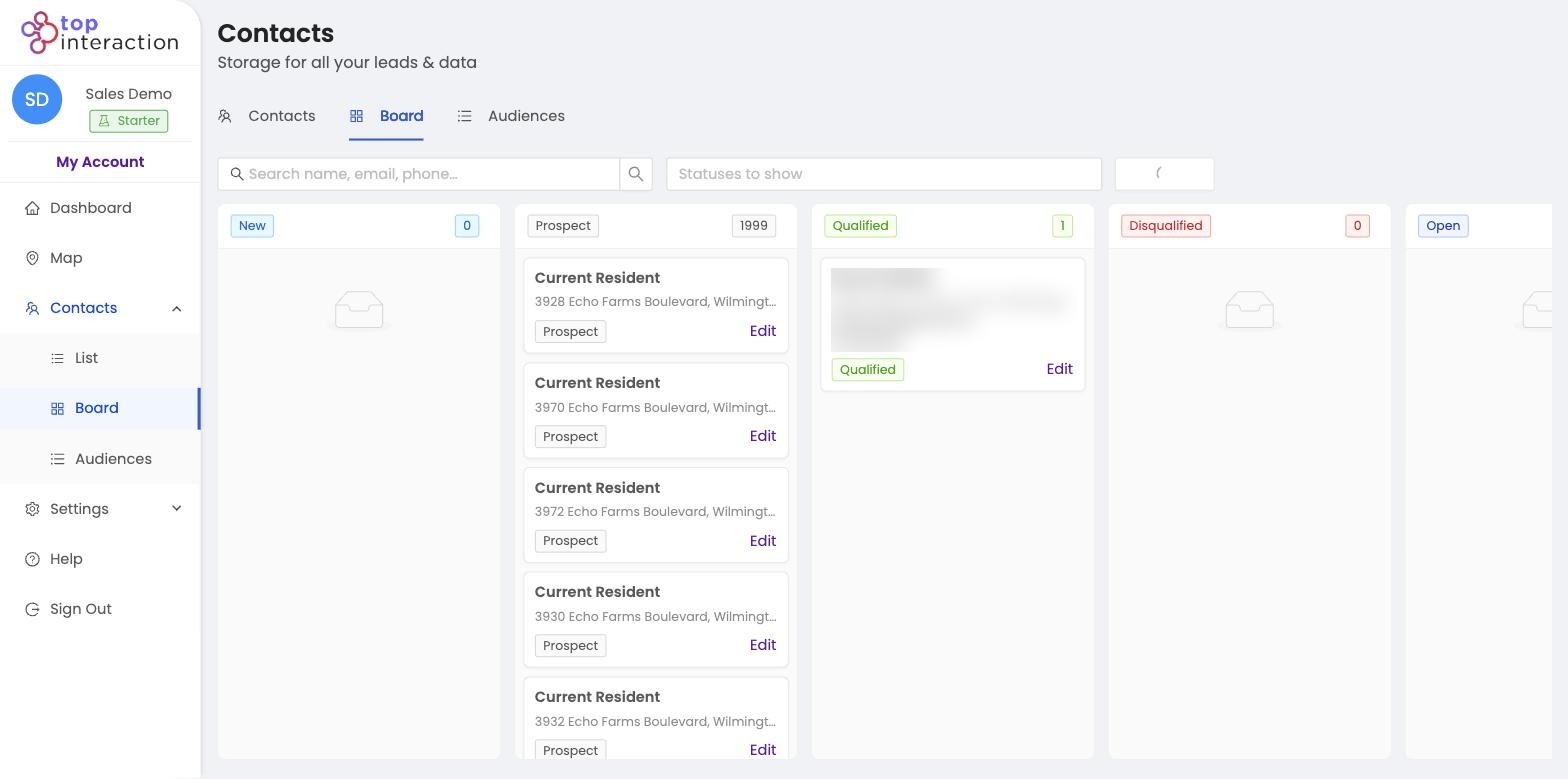
Use List View to filter, search, and export large contact sets; use Board View when you need a Kanban board to move prospects through follow-up stages.
Contact list view is built for volume—scanning, filtering, and CSV export. Kanban board view is built for prospect management—dragging cards across stages. Most teams switch between both inside Territory depending on whether they are preparing a list or working active follow-up.
Choose List View when…
- You’re working with hundreds or thousands of contacts.
- You want to search, sort, filter, or bulk-select.
- You’re exporting, enriching, or adding to an audience.
Choose Board View when…
- You’re actively moving prospects through stages.
- You want an at-a-glance count of who’s New, Prospect, Qualified, etc.
- You’re managing a smaller, active pipeline day-to-day.
See it in action
FAQ
Is it the same data in both?
Yes — List and Board show the same contacts, just organized for different jobs. A status change in one shows in the other.
Can I switch anytime?
Yes, the tabs at the top of Contacts flip between List, Board, and Audiences instantly.
Which is better for canvassing teams?
List for building and exporting the route; Board for tracking who’s been worked as reps report back.
