

You manage multiple sales territories by giving each rep a non-overlapping map zone, assigning contact ownership, and keeping shared visibility plus consistent prospect statuses across the team.
Team territory management fails when boundaries blur. Set sales territory assignments on the map, name each audience, and update statuses so rep territories stay exclusive and measurable. build your first territory for each zone, then manage them as a portfolio from Contacts.
How to do it
- Draw each rep’s area as a separate polygon, using streets as shared boundaries so zones don’t overlap.
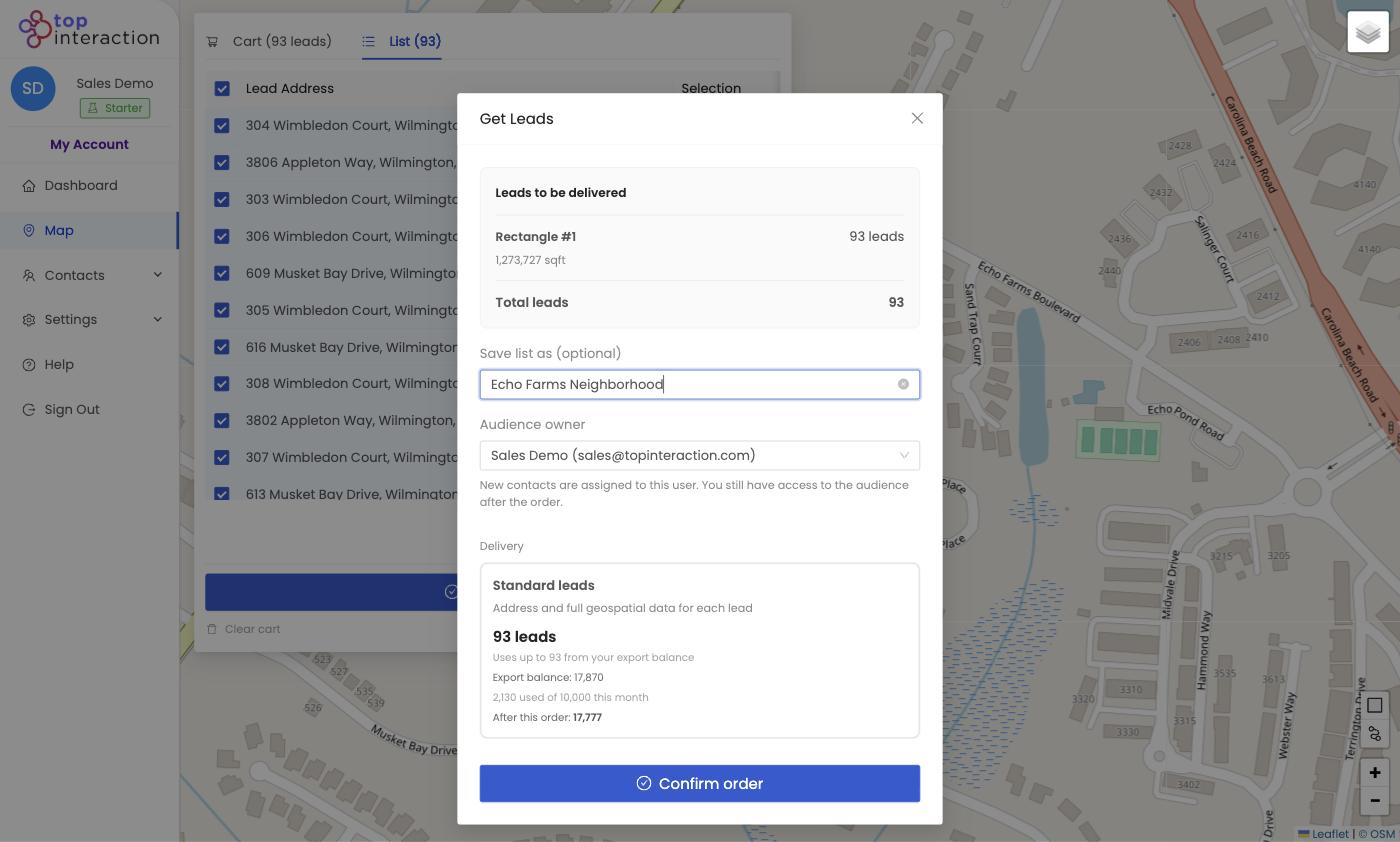
- On Get Leads, name each list by rep or zone and set the Audience owner to that rep.
- Balance zones by the live lead count so each rep has comparable workload.
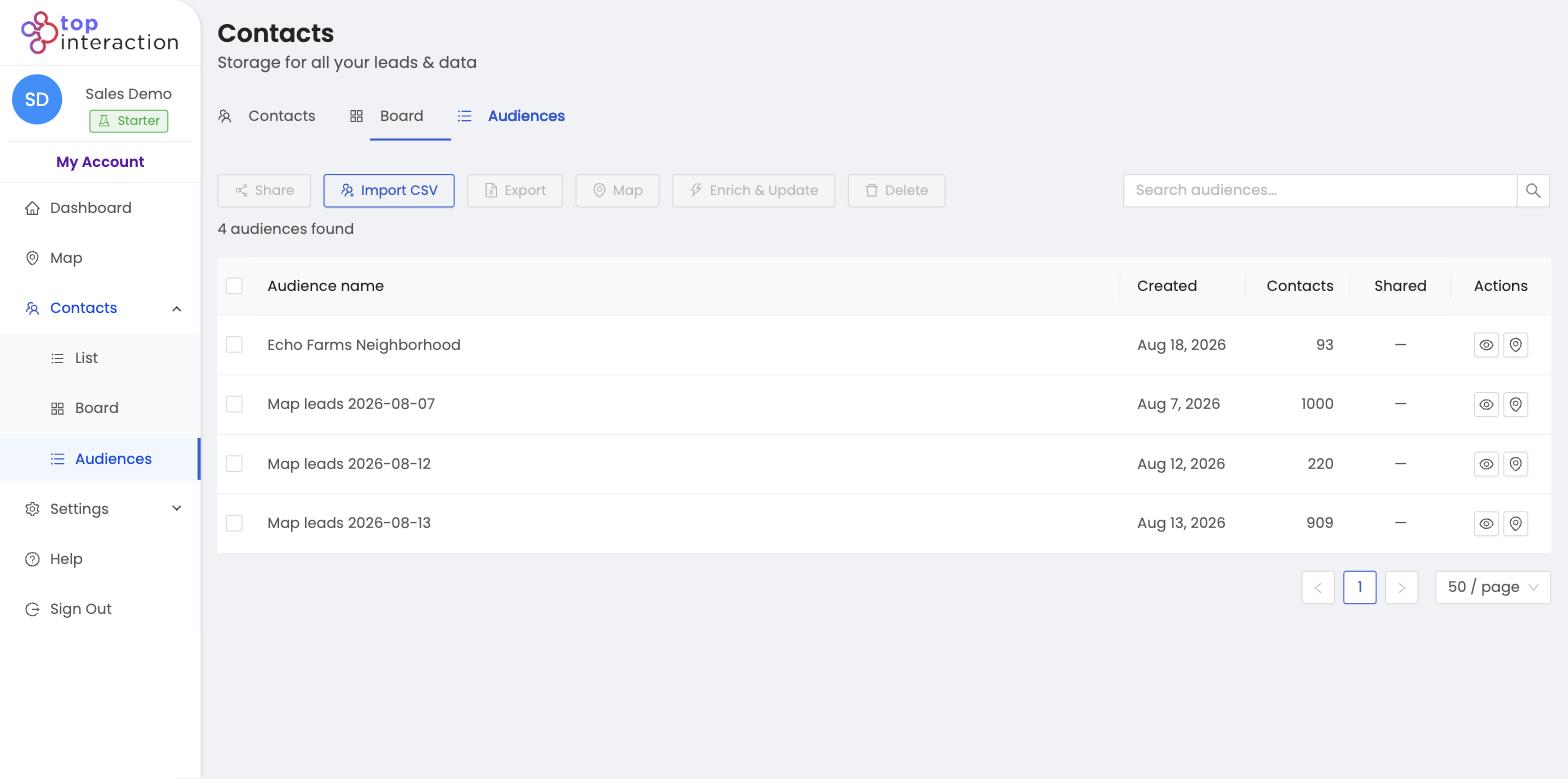
- Manage everything from Contacts → Audiences — each territory, its size, and its owner in one table.
- Reassign or add zones as the team or the season changes.
See it in action
FAQ
How do I stop reps overlapping?
Draw non-overlapping polygons that share street boundaries, and give each a single owner. Addresses dedupe within a pull.
Can I reassign a territory to another rep?
Yes — hand the saved audience to a new owner without rebuilding it.
Does this need a multi-seat plan?
Assigning owners across a team uses your plan’s seats; check Settings → Plan for your seat count.
