

Roofing companies assign sales territories by dividing the market into balanced map zones, giving each rep a named list with a clear owner, and adjusting boundaries as storms and headcount change.
Roofing territory management balances fairness, coverage, and no overlap. Carve canvassing territories on the map, assign sales reps as audience owners, and resize by door count—not just acreage. Territory makes those assignments explicit so ownership stays clear when demand shifts.
How to do it
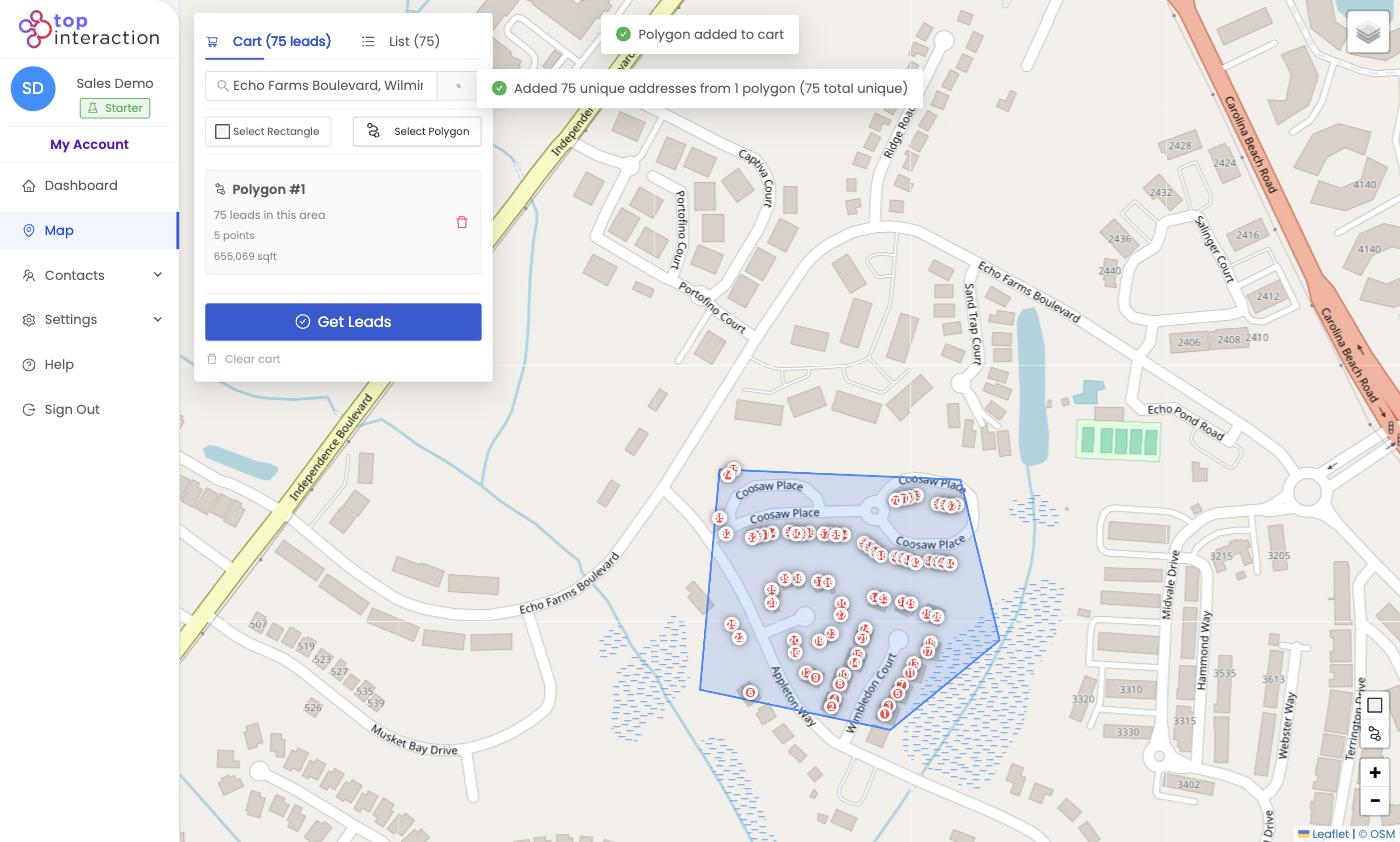
- On the Map, use Select Polygon to trace each zone, following major streets as boundaries so areas stay flush but separate.
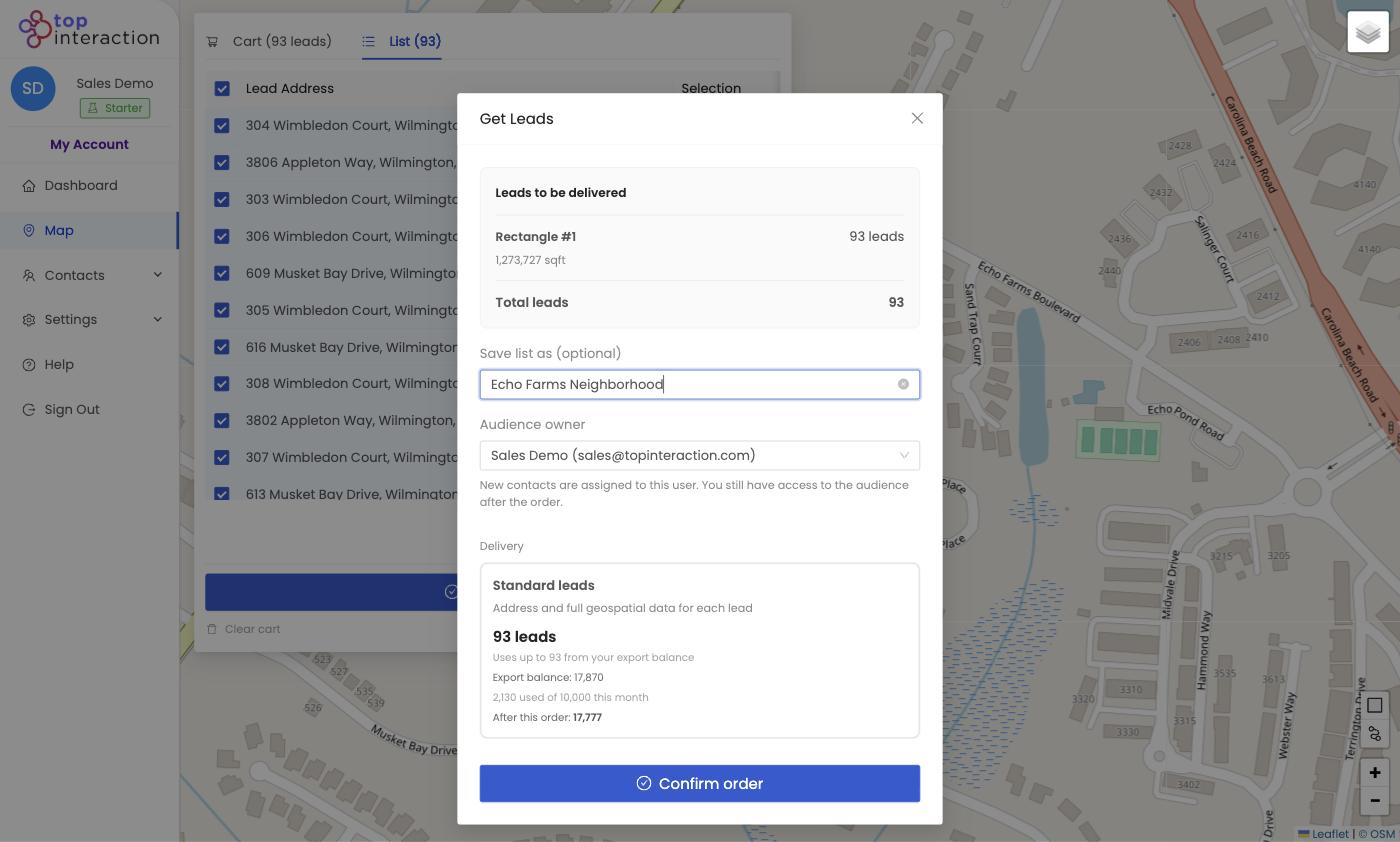
- Pull each zone’s leads and name the list by rep or zone (e.g. “Zone A — Dan”).
- On the Get Leads screen, set the Audience owner to the assigned rep so ownership is explicit.
- Balance the zones by lead count — the cart shows each area’s total, so you can resize polygons until reps have comparable volume.
- For storm response, draw a new polygon over the affected area and assign it as a temporary overlay zone.
- Review all named audiences in Contacts to confirm full coverage and no shared addresses.
See it in action
FAQ
How do you keep territories fair?
Balance by lead count, not just area — a small dense subdivision can beat a large sparse one. Territory shows each zone’s total so you can equalize opportunity.
What happens when a storm hits?
Draw a new polygon over the damage and assign it as an overlay zone. Because zones are just saved lists, adding or reassigning one takes minutes.
How do you prevent two reps working the same street?
Draw non-overlapping polygons that share street boundaries, and give each a single Audience owner.
Can territories be reassigned as the team changes?
Yes — hand a saved audience to a new owner without rebuilding the list.
