

You avoid overlapping roofing sales territories by giving each rep a distinct map-drawn area, assigning clear ownership, and keeping prospect activity visible so no two people work the same streets.
Territory overlap wastes drive time and frustrates homeowners. Draw non-overlapping sales rep territories, assign an owner to each audience, and keep statuses updated so roofing canvassing territories stay exclusive. That is how teams use build your first territory workflows at scale without double-knocking.
How to do it
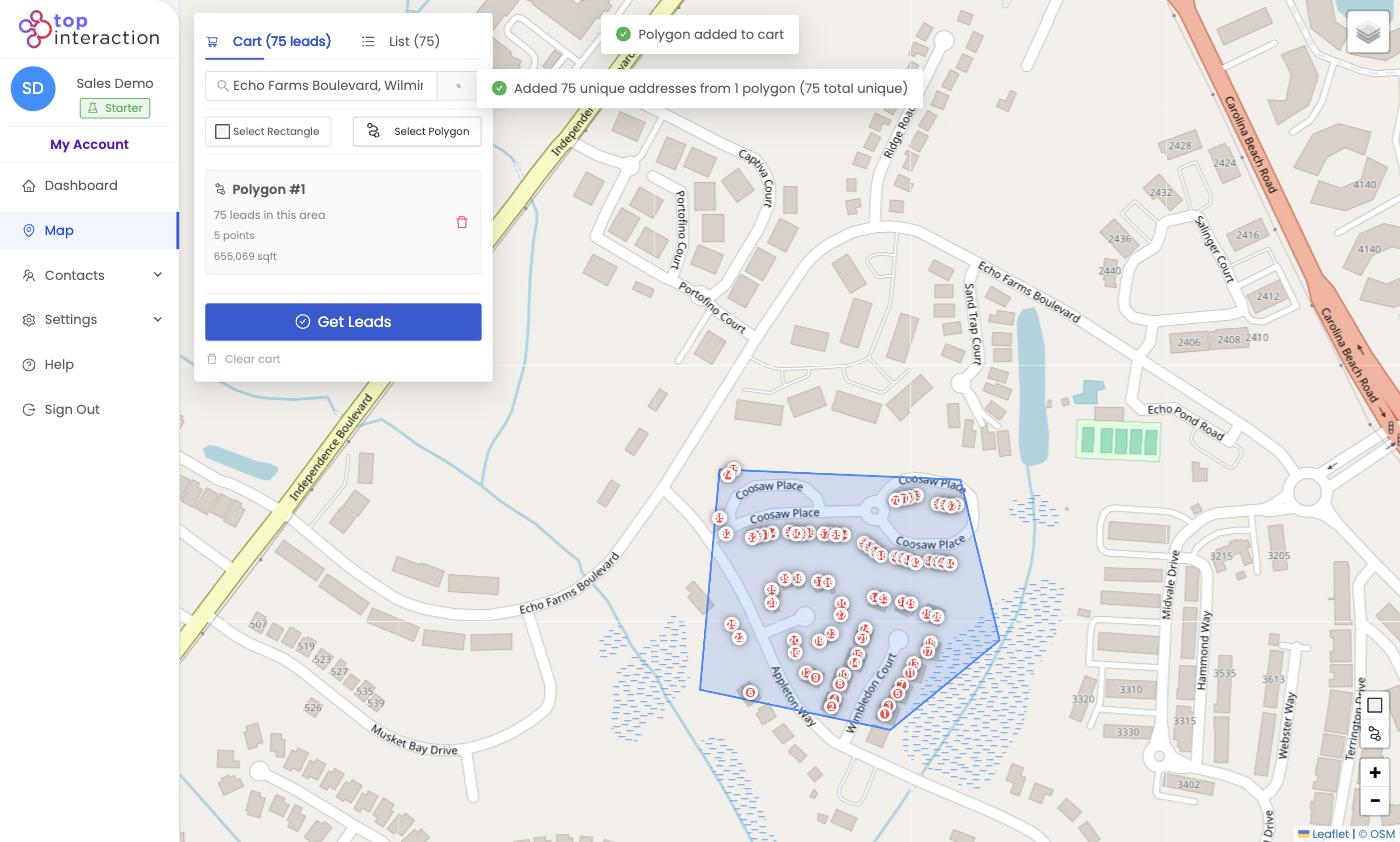
- On the Map, use Select Polygon to trace the first rep’s area, following streets as boundaries so edges don’t bleed.
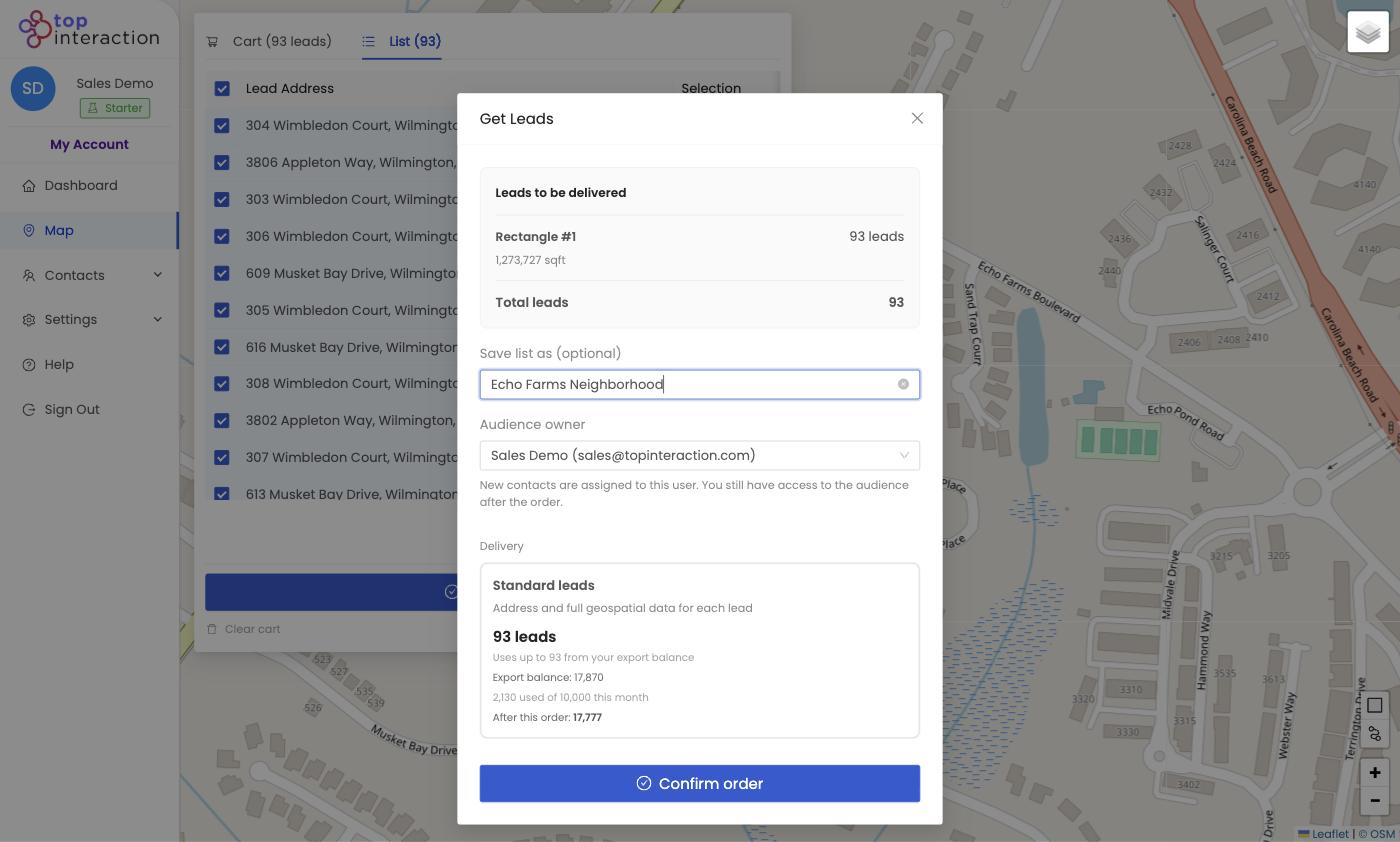
- Pull the leads and name the list for that rep or zone (e.g. “Zone A — Dan”).
- On the Get Leads screen, set the Audience owner to the assigned rep.
- Repeat for the next rep with an adjacent, non-overlapping polygon. Using shared street lines as edges keeps areas flush but separate.
- Review each named audience in Contacts to confirm coverage with no shared addresses.
See it in action
FAQ
What if two polygons touch?
Touching along a street is fine — just don’t let them overlap. Territory dedupes addresses within a pull, so share a boundary line rather than covering the same block twice.
Can I reassign a territory later?
Yes — a saved audience can be handed to a different owner without rebuilding the list.
How do I see the whole market at once?
Draw each zone as its own list; together they tile the market. Keep a naming convention (Zone A/B/C) so the map and Contacts stay legible.
