

Short answer
You build your first sales territory by searching an area on the map, drawing a custom boundary, reviewing the properties inside it, and saving that territory for prospecting.
Territory mapping starts simple: search, draw a custom sales territory, review the count, and save. That prospecting area becomes the list your team works next. build your first territory in minutes, then organize, enrich, and export from the same saved audience.
How to do it
- Open the Map from the left menu.
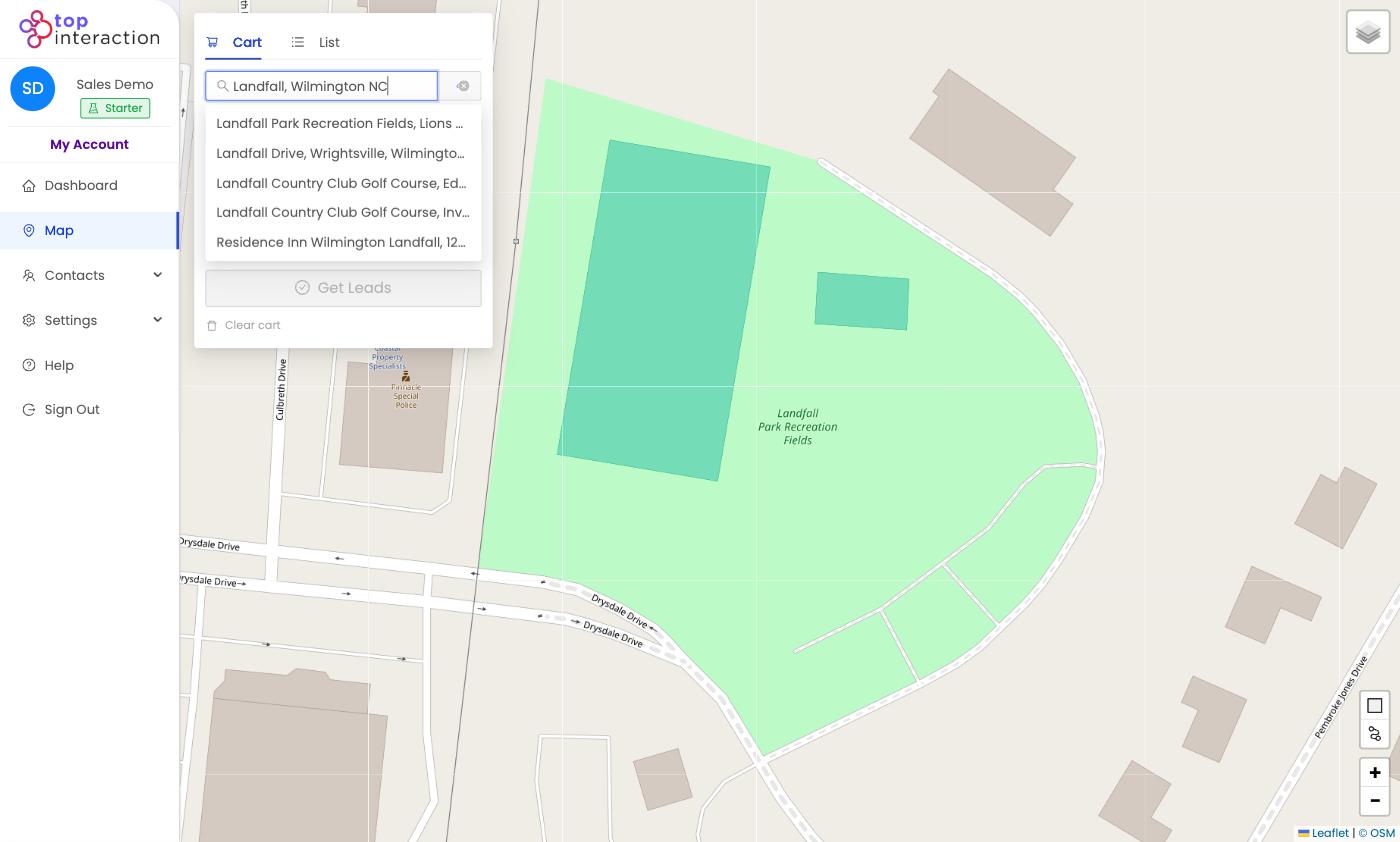
- Type a neighborhood, street, or ZIP in the address search and pick a match to center the map.
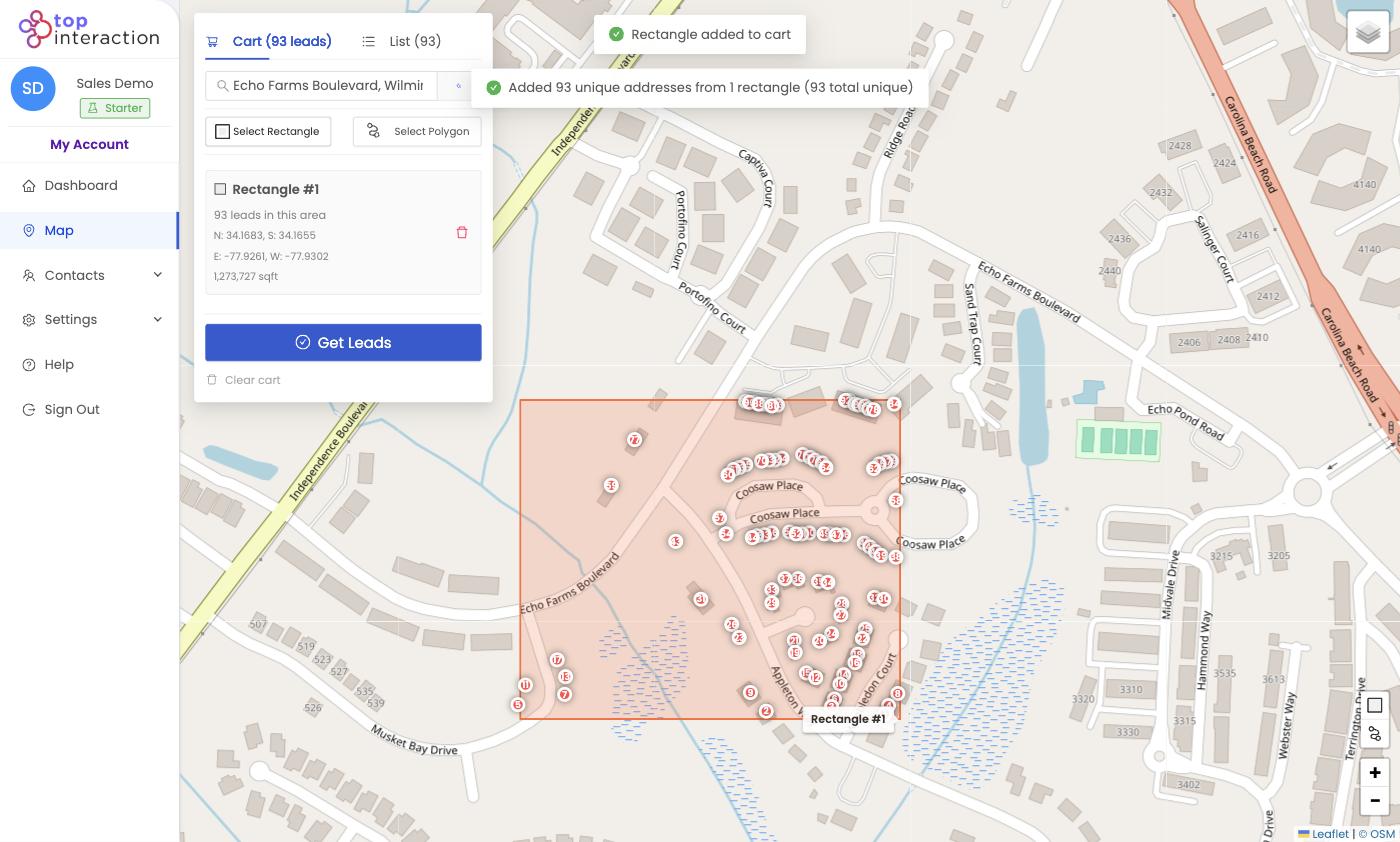
- Click Select Rectangle (fastest) or Select Polygon (for an exact boundary) and draw around the area.
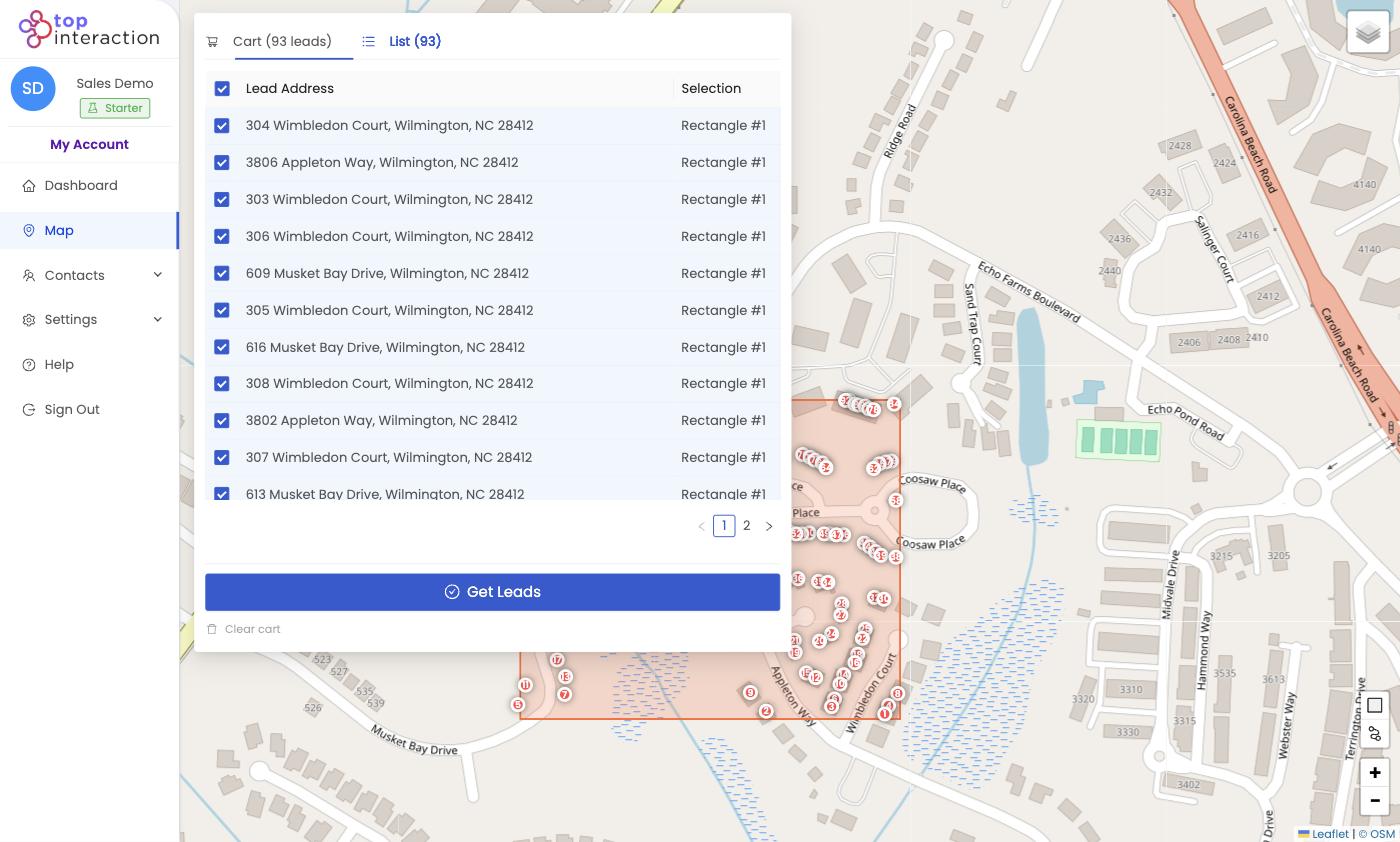
- Open the List tab to review every address the app found inside your shape.
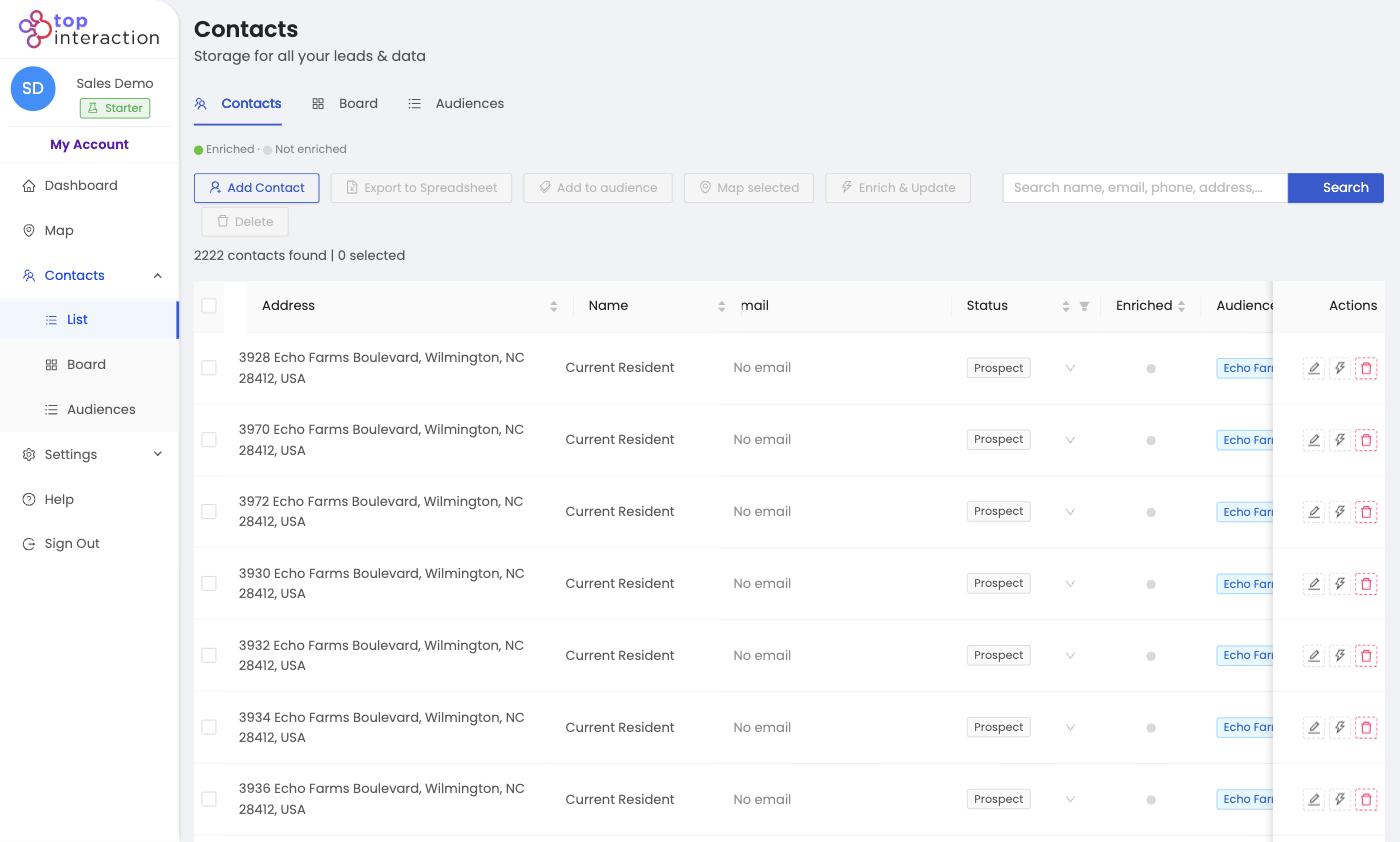
- Click Get Leads, give the territory a name, and Confirm order — it’s saved to Contacts as an audience you can work anytime.
See it in action
FAQ
Do I need to pick the perfect area first time?
No — you can draw as many territories as you like. Start with one neighborhood you know and refine from there.
Does building a territory cost credits?
Drawing and reviewing are free. Export credits are only used when you click Get Leads and confirm.
Where does my territory live after I save it?
In <strong>Contacts → Audiences</strong>, as a named list you can reopen, export, or map again.
