

Short answer
Contact enrichment adds additional available information to an existing contact record, such as a name, phone number, email address, or property data.
Data enrichment turns a bare address into usable contact data. Homeowner enrichment layers available names and details onto records you already pulled from the map—so outreach can be personalized without enriching every door on day one. See how it fits inside Territory after you save a list.
How to do it
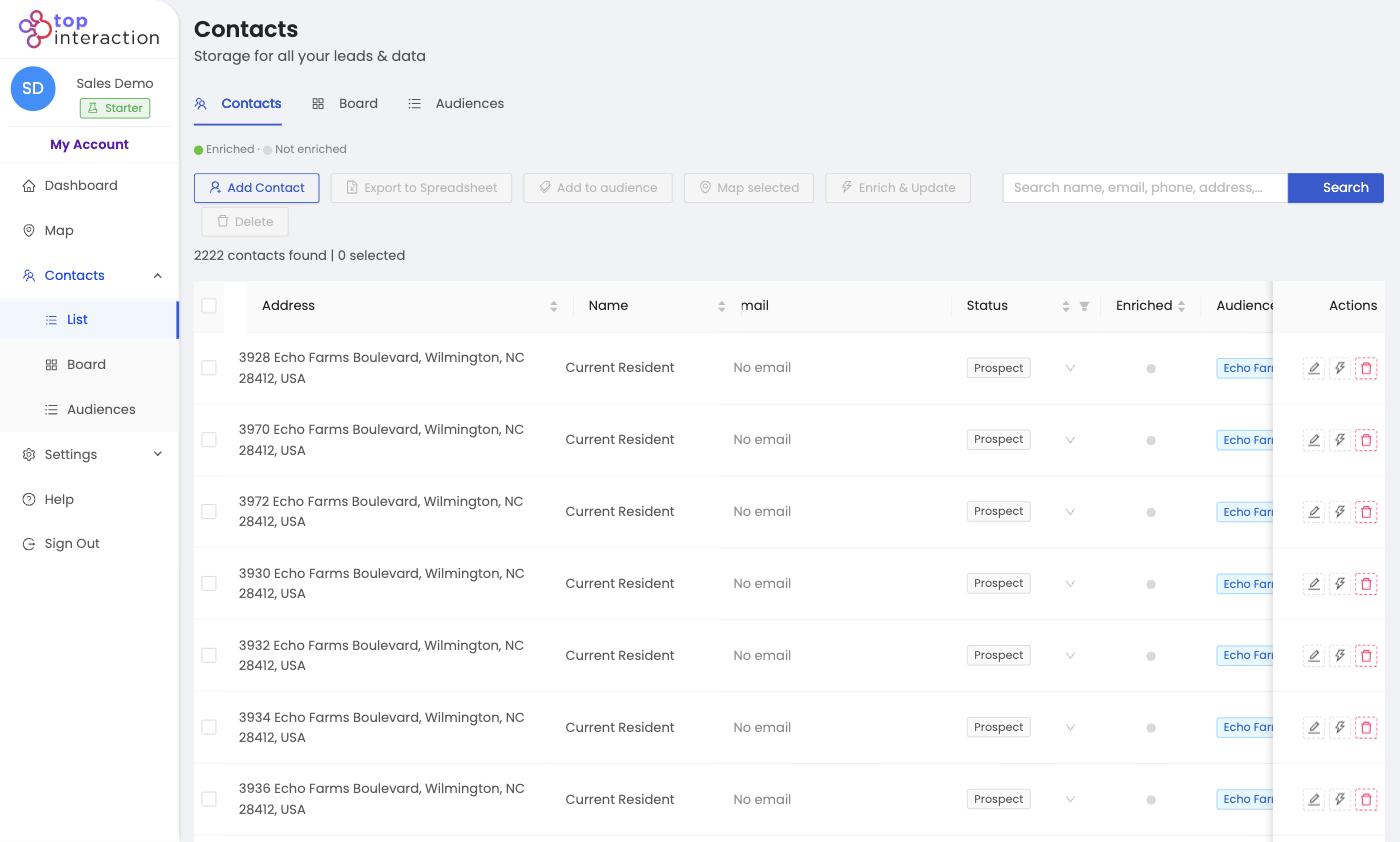
- Open Contacts and select the list (audience) you want to enrich — or tick individual rows.
- Click Enrich & Update in the toolbar.
- Territory appends available owner, contact, and property fields; the Enriched indicator fills in for each updated record.
- Use the enriched fields to personalize mailers, scripts, and follow-up — then Export to Spreadsheet for the field if needed.
See it in action
FAQ
Do I have to enrich every contact?
No — addresses are enough to start canvassing. Enrich when the outreach benefits from names and contact details.
Does enrichment use credits?
Enrichment draws from your plan’s enrich balance. The app shows your balance before you run it.
When should I enrich — before or after pulling?
After. Pull the territory first, then enrich the list (or just the segment you’re about to work).
