TERRITORY FOR REAL ESTATE AGENTS

Turn Your Geographic Farm Into a Property Audience You Can Work.

Choose the neighborhood where you want to build recognition and relationships. Territory lets you define the streets, review available properties, organize an Audience, and prepare your next compliant farming campaign.

See the map workflow and available properties before deciding which contacts to add. Contact availability varies.

The neighborhood comes first. The contact list follows.

The problem Territory solves

A Geographic Farm Is More Than a ZIP Code on a Spreadsheet.

Agents often have a neighborhood in mind but lack a clean process for selecting its streets, saving the property records, and organizing outreach. Make the farm tangible: boundaries, records, and status.

Without a defined campaign

  • A broad mailing list extending beyond your actual farming area
  • Properties without neighborhood context
  • Scattered notes and unclear campaign ownership

With Territory

  • A visible map of your chosen farm and a saved property Audience.
Before Territory
Neighborhood without a clear campaign boundary

Vague directions and scattered address files make ownership and follow-up hard to coordinate.

With Territory
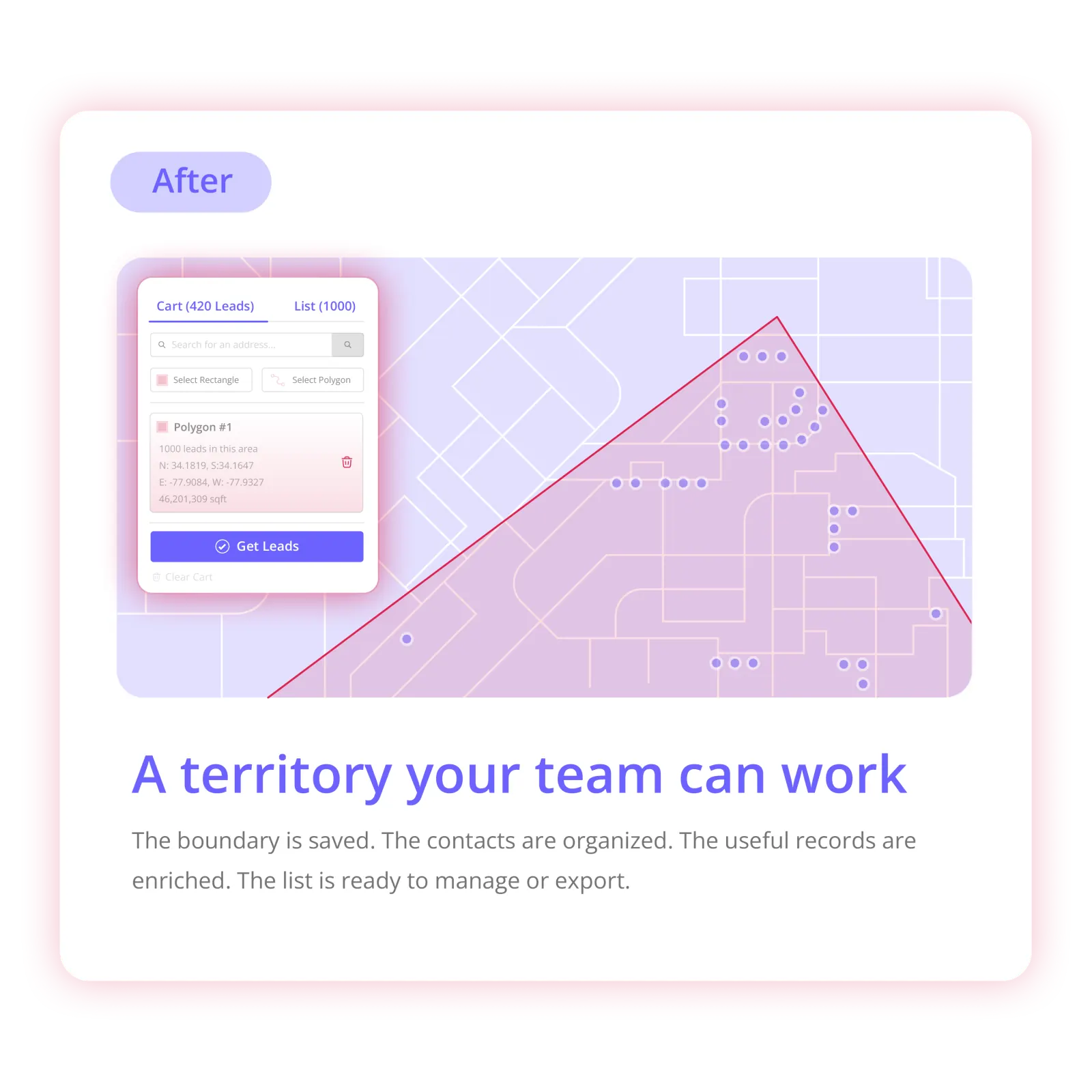
Defined map area turned into a Territory Audience

A visible map of your chosen farm and a saved property Audience.

See how the workflow works ↓

Product demo

See a Farm Area Become an Organized Prospect List.

Show genuine property search and Audience creation; not listing/valuation predictions.

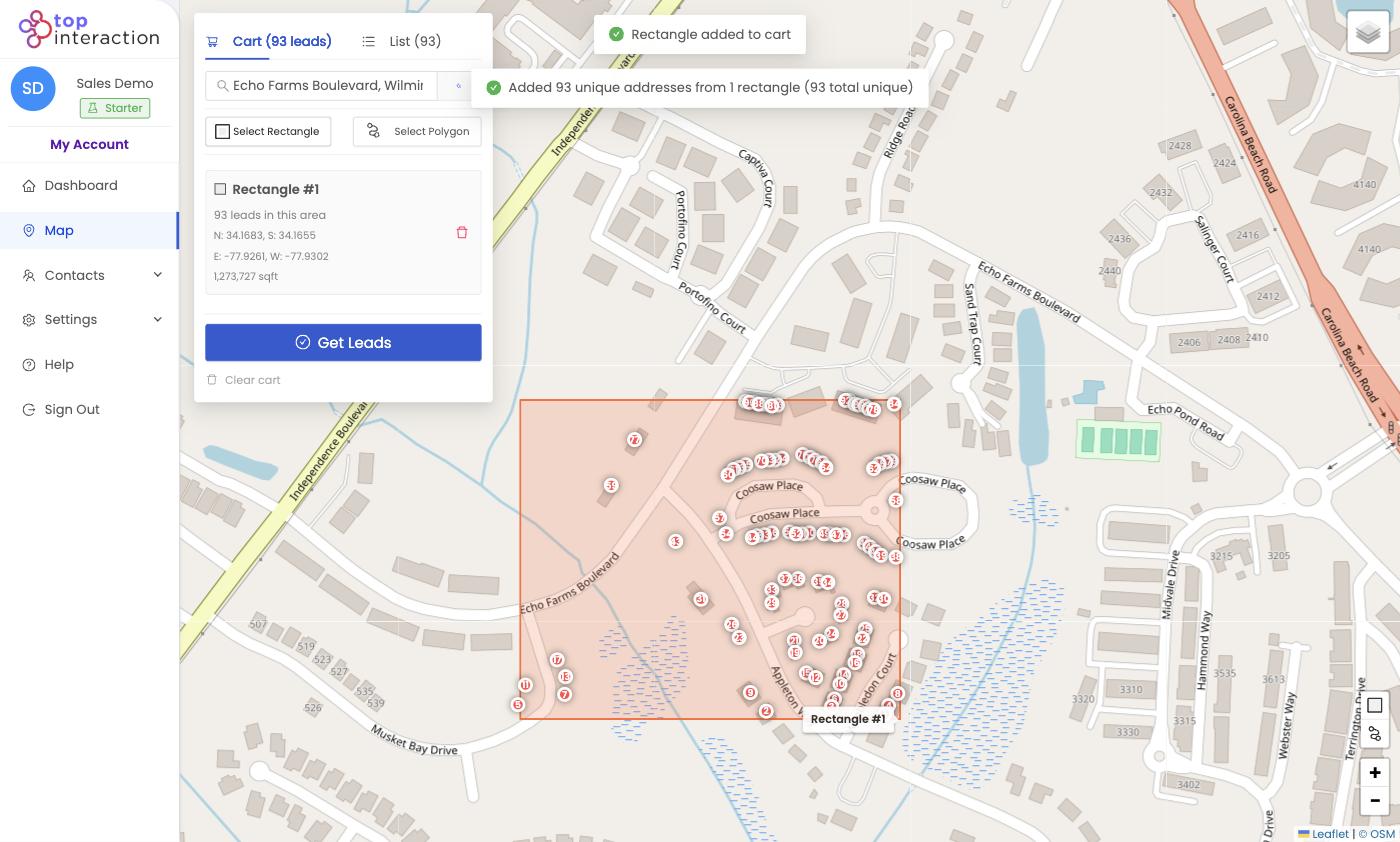
  1. 1. Search the subdivision or specific neighborhood Search the subdivision or specific neighborhood
  2. 2. Draw the intended geographic farm Draw the intended geographic farm
  3. 3. Review available property records and select the ones you want Review available property records and select the ones you want
  4. 4. Create a named farming Audience Create a named farming Audience
  5. 5. Enrich available contact records, track statuses, and export CSV for compliant mailing or CRM workflows Enrich available contact records, track statuses, and export CSV for compliant mailing or CRM workflows
Outcomes

What Real Estate Agents Teams Get From the Map-First Workflow

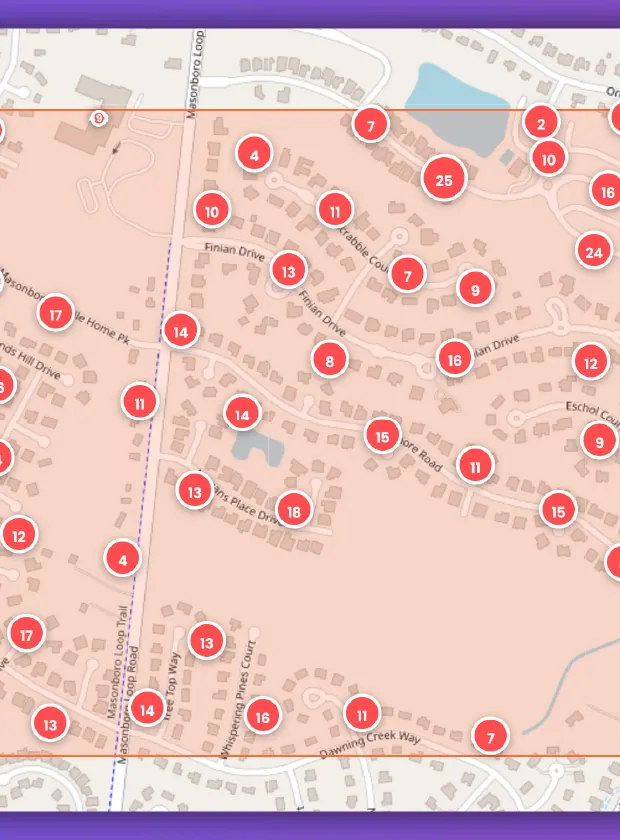
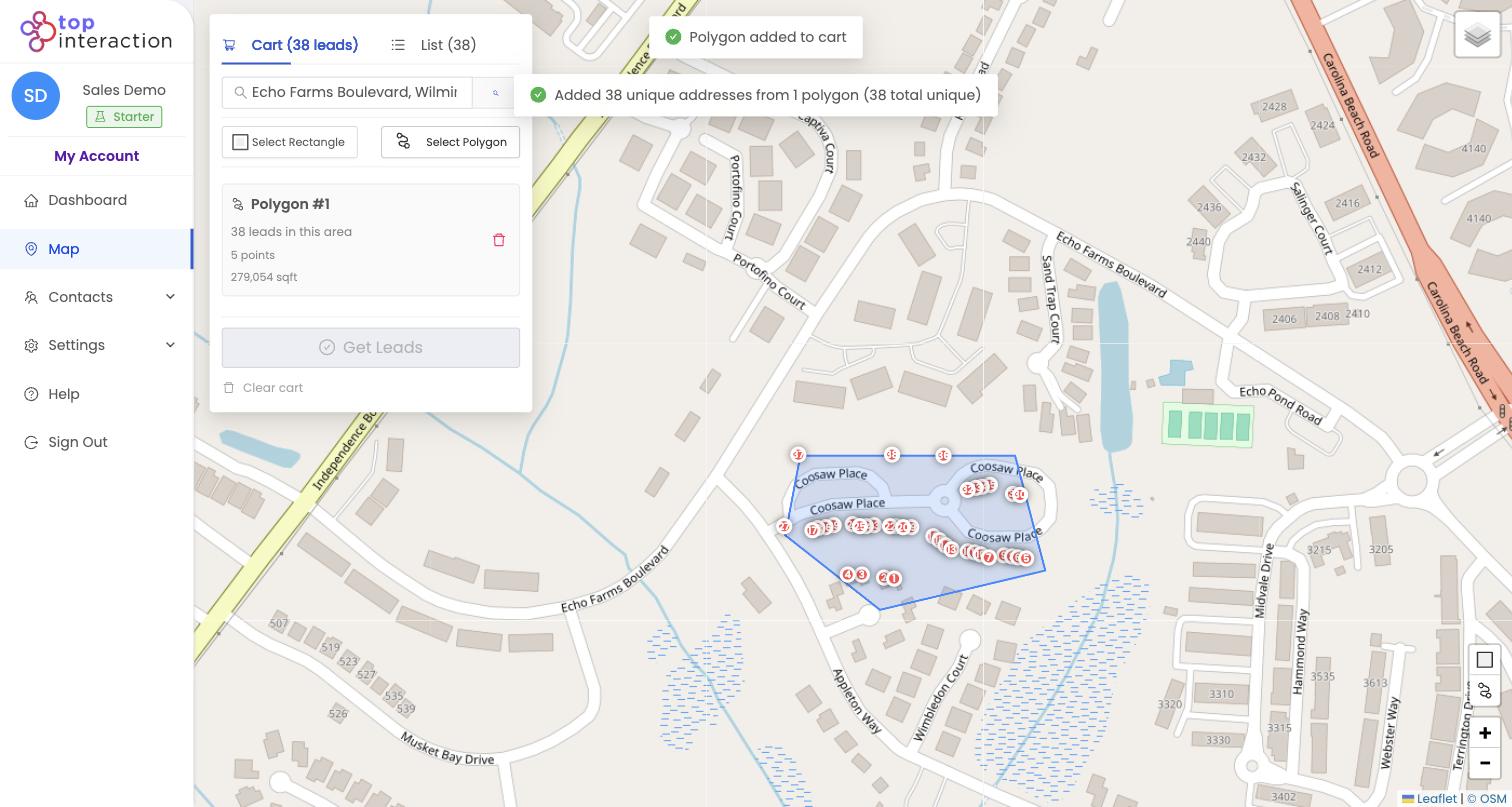
Map selection with a drawn territory polygon
Outcome 1

Make your farm geographically precise

Draw actual subdivision or street boundaries.

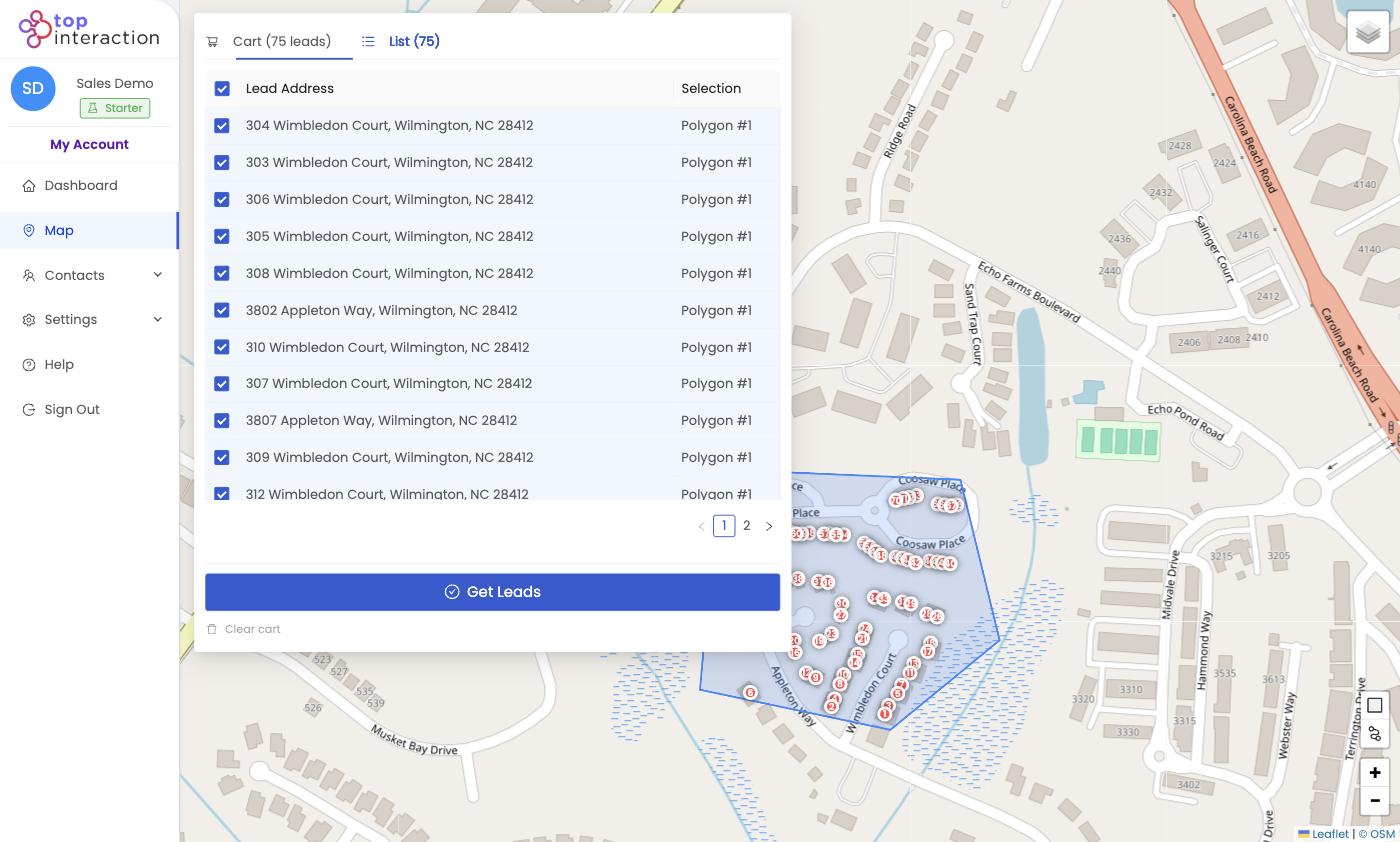
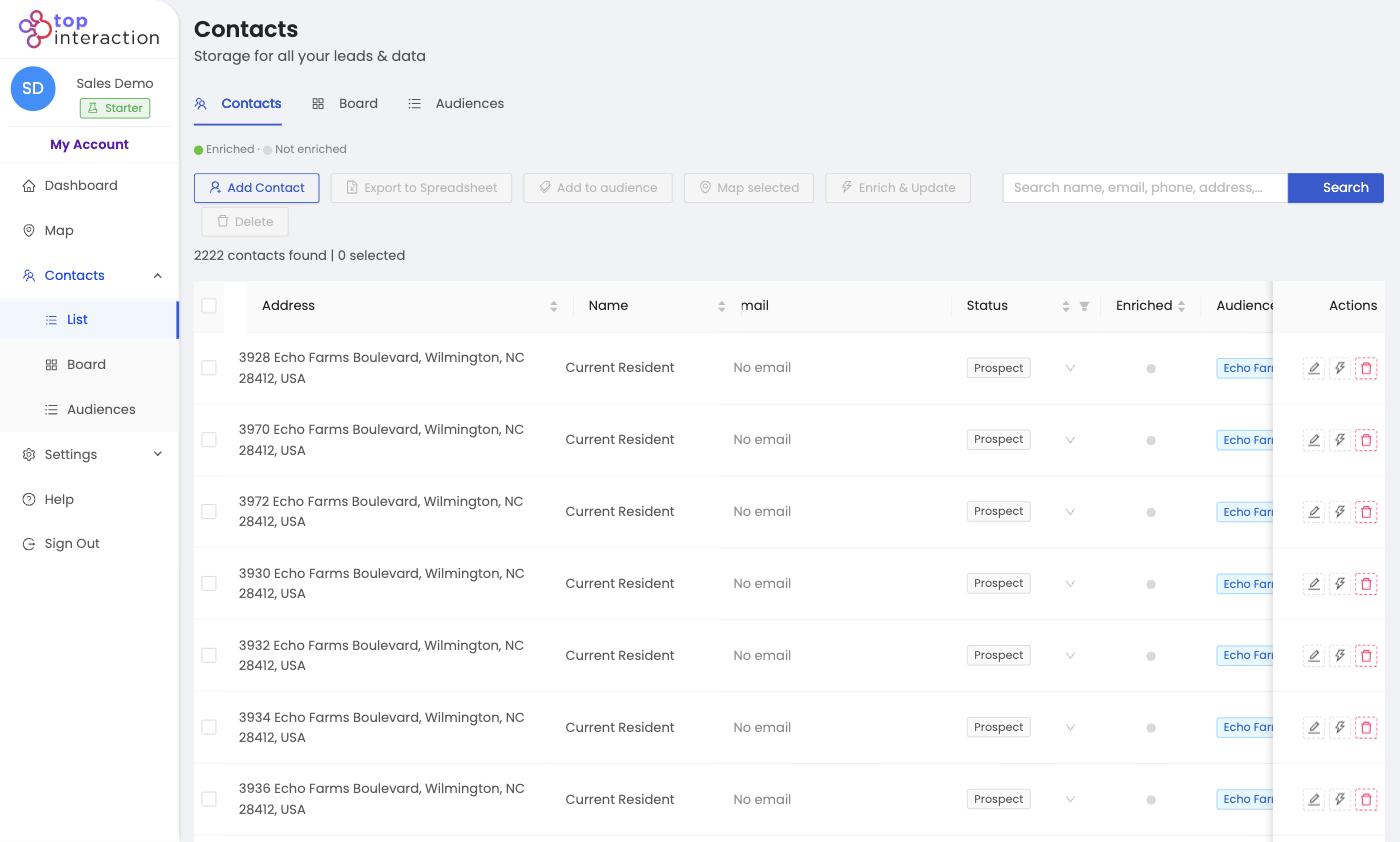
Audience list with selected property contacts
Outcome 2

Organize neighborhood outreach

Save Audiences for different farming areas or campaigns.

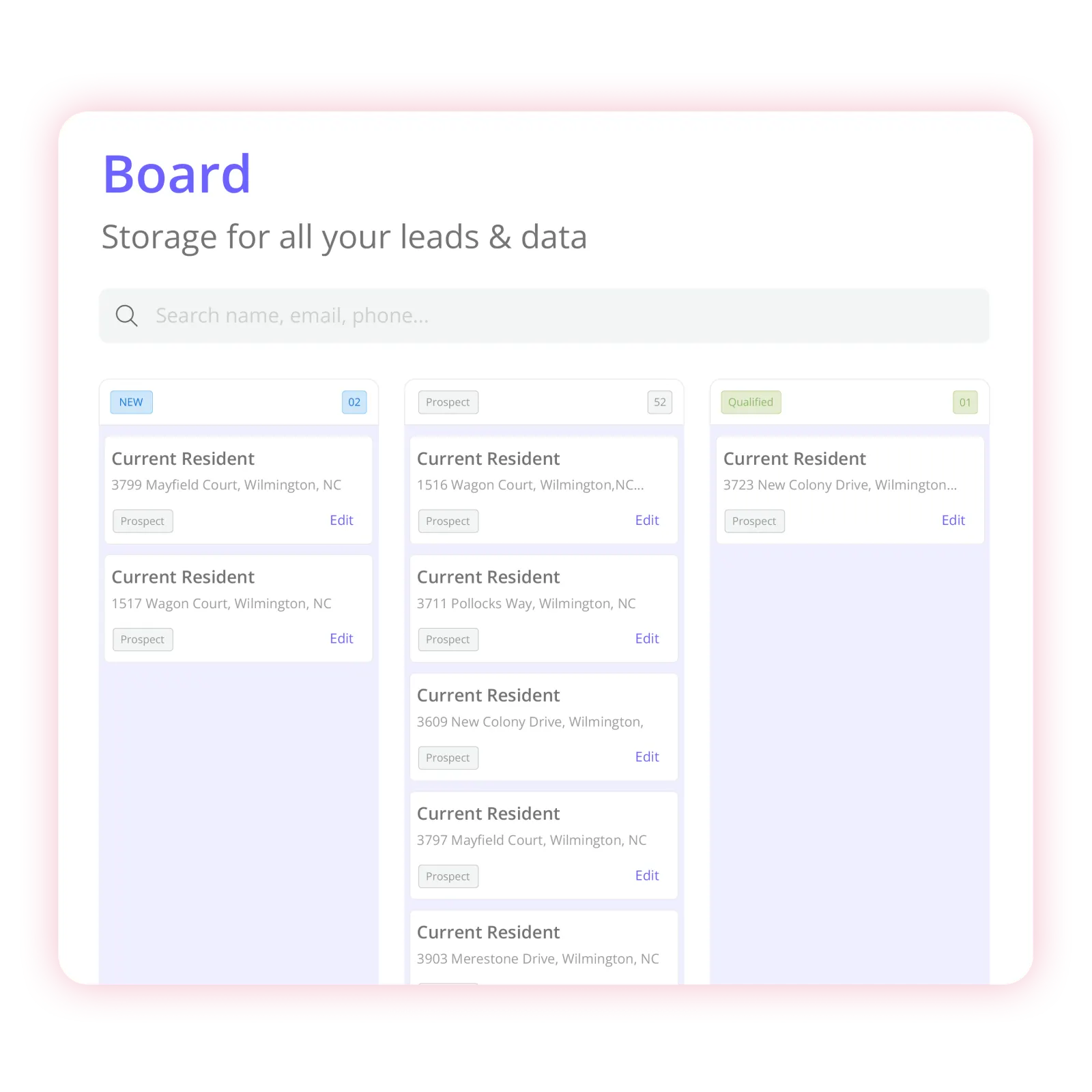
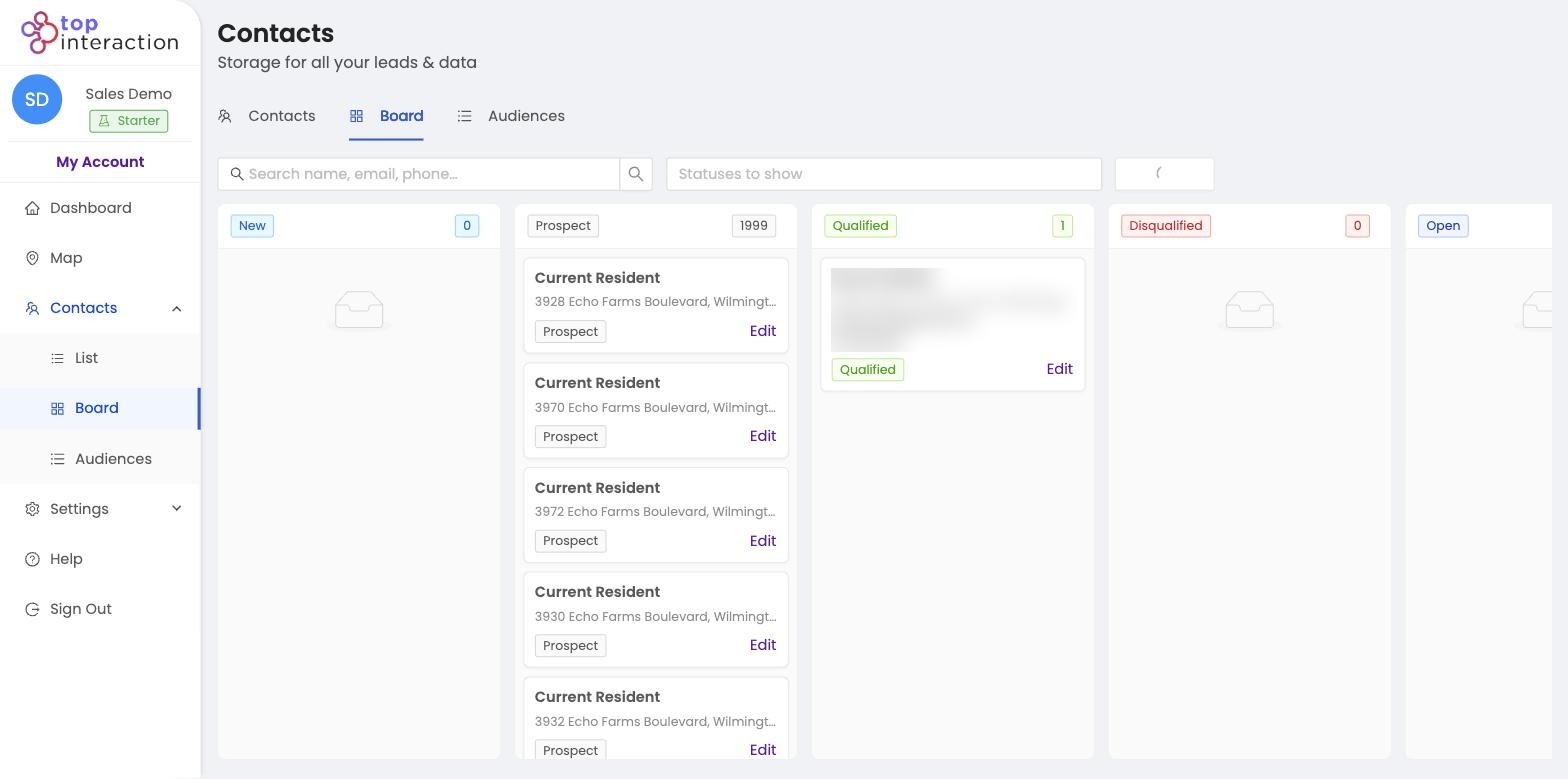
Board View organizing assigned contacts
Outcome 3

Keep relationships organized

Use notes, statuses, and contact assignment where relevant.

How it works

Choose the Area. Build the Audience. Use the List.

Map → Select properties → Audience → Enrich → Organize / Assign → CSV export

  1. 1. Search the subdivision or specific neighborhood
  2. 2. Draw the intended geographic farm
  3. 3. Review available property records and select the ones you want
  4. 4. Create a named farming Audience
  5. 5. Enrich available contact records, track statuses, and export CSV for compliant mailing or CRM workflows
Campaign situations

Built Around the Campaigns You Already Have in Mind

Subdivision farming
Use case

Subdivision farming

Create an Audience covering the specific streets you choose.

New agent market entry
Use case

New agent market entry

Build a geographic farming list for an area the agent wants to learn and serve.

Team-specific farm areas
Use case

Team-specific farm areas

Assign separate Audiences for geographic teams; do not claim automatic overlap detection.

Why Territory

Built for Geographic Farming, Not Listings and Transaction Management.

Territory does not substitute for your MLS, CMA tool, brokerage CRM, showing software, or transaction system. It prepares a geographic prospecting Audience you can work in your existing systems.

Territory is a fit when

a customer wants to define specific geographic areas, select available property records, build organized Audiences, selectively enrich, assign contacts, and export to tools they already use.

Product boundary: Territory does not predict which homeowners plan to sell, automatically value homes, identify protected household characteristics, or verify a listing opportunity.

Pricing

Start With a Territory That Fits Your Team.

Starter can cover one agent plus an assistant; Pro supports a small team that shares geographic Audiences. Switch to yearly billing and save 17%.

Build a Campaign →

Starter

Perfect for getting your first neighborhoods organized and exported—fast.

$55 per month · $660/yr
Seats
2
2 included
Sign up

Includes

  • 2 seats included
  • 25,000 active contacts
  • 150 Enrich Credits/mo (1,800/yr billed annually)
  • 30,000 exports/mo
  • Nationwide coverage
  • Contact Audiences
  • Contact enrichment
  • List & Board views
  • Team contact assignment
  • CSV export (unlimited re-exports)
  • Unlimited map previews*
  • Unlimited saved territories*

Team

Built for real operations—multiple reps, shared lists, and repeatable campaigns.

$179 per month · $2,148/yr
Seats
10
10 included
Get started now

Includes

  • 10 seats included
  • 150,000 active contacts
  • 500 Enrich Credits/mo (6,000/yr billed annually)
  • 125,000 exports/mo
  • Everything in Pro
  • Highest Enrich, contacts, and export limits
  • Largest included seat count

Enterprise

For organizations that need custom volume, security, and rollout support.

Custom tailored to your team
Build a Campaign

Everything in Team, plus

  • Custom seats and data volume
  • Dedicated onboarding
  • Security & procurement review
  • Named support contact
  • Flexible billing
  • Roadmap input for field workflows
  • Roofing
  • Solar
  • HVAC
  • Home services
  • Multi-crew sales

Compare plans & features

Feature Starter $55/mo Pro $110/mo Popular Team $179/mo
Limits
Seats included 2 5 10
Additional seat / month $15 $13 $10
Enrich Credits / mo 150 300 500
Active contacts 25,000 75,000 150,000
Exports / mo 30,000 55,000 125,000
Coverage & maps
Geographic coverage Nationwide Nationwide Nationwide
Map radius Plan-dependent Plan-dependent Plan-dependent
Map previews Unlimited* Unlimited* Unlimited*
Saved territories Unlimited* Unlimited* Unlimited*
Workflow
Contact Audiences Included Included Included
Contact enrichment Included Included Included
List & Board views Included Included Included
Team contact assignment Included Included Included
CSV export Included Included Included
CSV re-exports Unlimited Unlimited Unlimited

*Unlimited map previews and saved territories are subject to reasonable technical and usage safeguards.

Need more than Team? Build a Campaign →

Product proof

See the Workflow. Judge the Data. Build Your Own Campaign.

Territory is not promising booked appointments, guaranteed lead intent, complete contact coverage, or exclusive homeowner data. It gives you control of the area and a concrete process for organizing the available property records.

Choose an area
Build the Audience
Organize
Export
Territory map with a drawn neighborhood area 01

Choose an area.

Search a place you already care about and draw the streets your team wants to work.

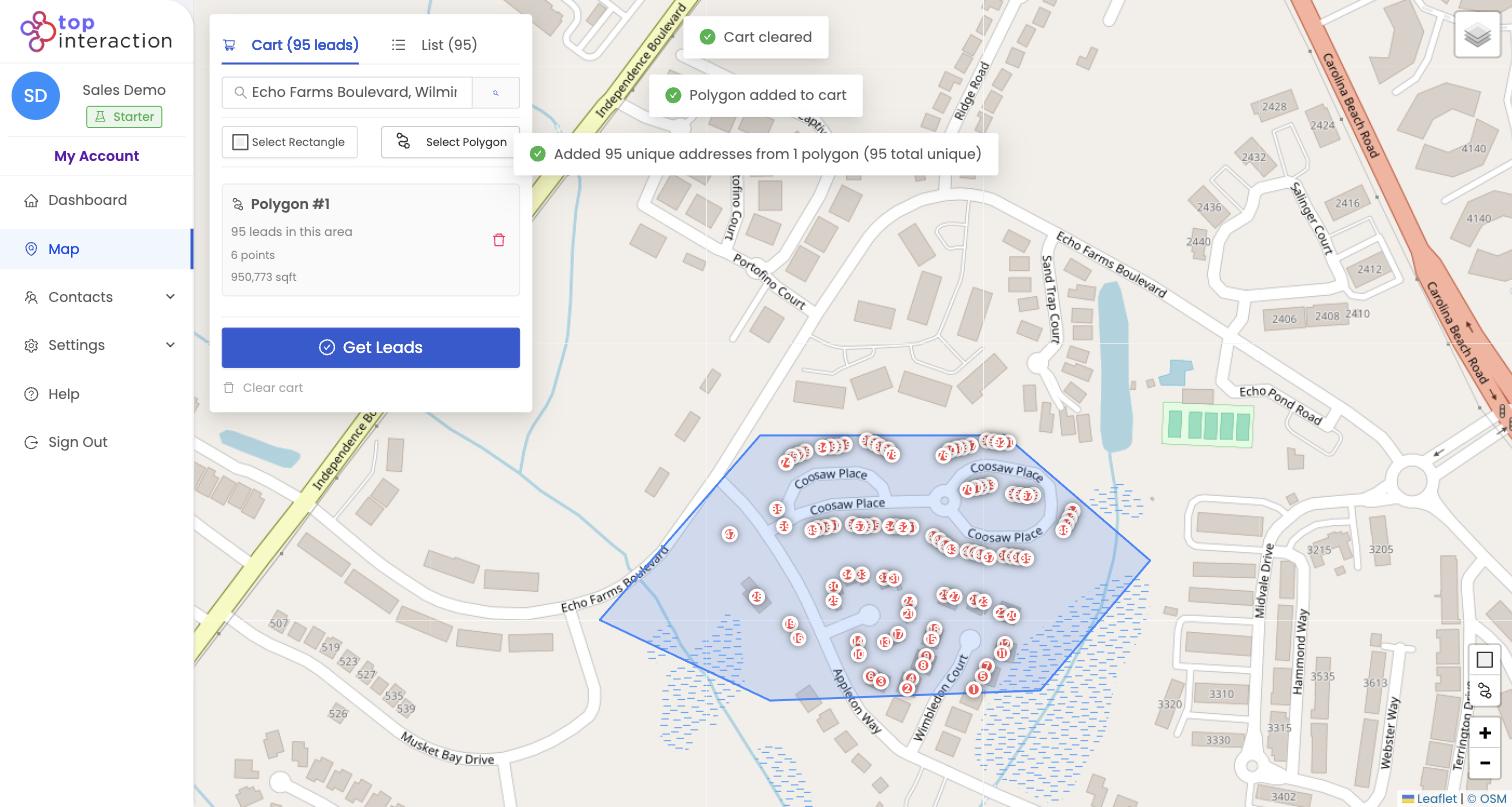
Selected properties inside a Territory polygon 02

Build the Audience.

Review available properties, select what belongs in the campaign, and save them together.

Territory Board View organizing campaign contacts 03

Organize the campaign.

Assign ownership, update statuses, and track progress in List or Board View.

Territory contact list ready for CSV export 04

Export when needed.

Export selected contacts to CSV for the tools your team already uses.

Product boundary: Territory does not predict which homeowners plan to sell, automatically value homes, identify protected household characteristics, or verify a listing opportunity.

FAQ

Questions Before You Build Your First Territory

Still want to see it with your own market?

Build Your Real Estate FarmStart Free

Does Territory show homeowners who are ready to list?

No. It creates property Audiences based on geographic selection; seller intent is not a verified filter.

Can I farm just one subdivision?

Yes. Search it, draw its boundaries, review available properties, and save a selected Audience.

Is this a replacement for my MLS or real estate CRM?

No. Territory helps prepare and organize geographic prospecting lists and supports CSV export to other systems.

Can I target people based on family status or age?

No demographic targeting of that kind is a confirmed Territory capability. Outreach and housing-related advertising should be reviewed for fair-housing compliance.

Can I choose streets instead of an entire ZIP code?

Yes. Territory supports rectangle and polygon selection on a map, with available properties shown for the chosen area.

Do all properties include a phone number or email?

No. Property address data and enrichment coverage differ. Additional owner or resident contact details are available only where the underlying data provides them.

Does Territory send the outreach for me?

Territory organizes prospects and supports CSV export. It does not currently promise native email sequences, direct mail fulfillment, dialers, or in-field route optimization.

Territory map ready for your next neighborhood campaign

Own the Geographic Plan for Your Next Farming Campaign.

Start with your neighborhood. Build the Audience. Make your outreach consistent.

Build Your Real Estate FarmStart Free

Choose the area. Build the list.

Build Your Real Estate FarmStart Free