TERRITORY FOR ROOFING SALES TEAMS

Turn Your Last Roofing Job Into Your Next Neighborhood Campaign.

Your crew finished the roof. Now turn the surrounding streets into an organized prospecting campaign.

Search the job address, choose exactly where your team should work, build an Audience from available properties, and give your reps a clear place to start.

Start your free trial and build your first neighborhood campaign.

Map → Audience → Enrich → Assign → Export

The moment Territory is built for

The Roof Is Finished.
The Opportunity Around It Isn't.

When your crew pulls away from a completed roofing job, you're already standing inside a potential sales territory. Territory turns that moment into a campaign your team can actually work.

Finished Roof
Draw Surrounding Streets
Build Audience
Assign
Export
Before Territory
Neighborhood around a completed roofing job without a clear campaign

“Go work the neighborhood around the Smith job.”

The opportunity is right there — but the boundary lives in someone's head and the campaign stays unplanned.

With Territory
Surrounding streets turned into a Territory Audience campaign

“Here is the neighborhood. Here is the Audience. Here is who owns it.”

Define the area, select the properties, organize the contacts, and assign the work — starting with the map.

Before Territory

  • The boundary lives in someone's head
  • Properties get copied into spreadsheets
  • Reps decide where to go individually
  • Follow-up gets scattered between systems

With Territory

  • Define the exact streets to cover
  • Select properties that belong in the campaign
  • Organize contacts and ownership
  • Keep the campaign clear as reps work it

See the workflow ↓

Product demo

Watch One Roofing Job Become a Prospecting Audience.

No generic lead database. No starting with a giant spreadsheet. Start with a place you already know.

  1. 1. Search the completed job Enter the address of a recent roofing project.
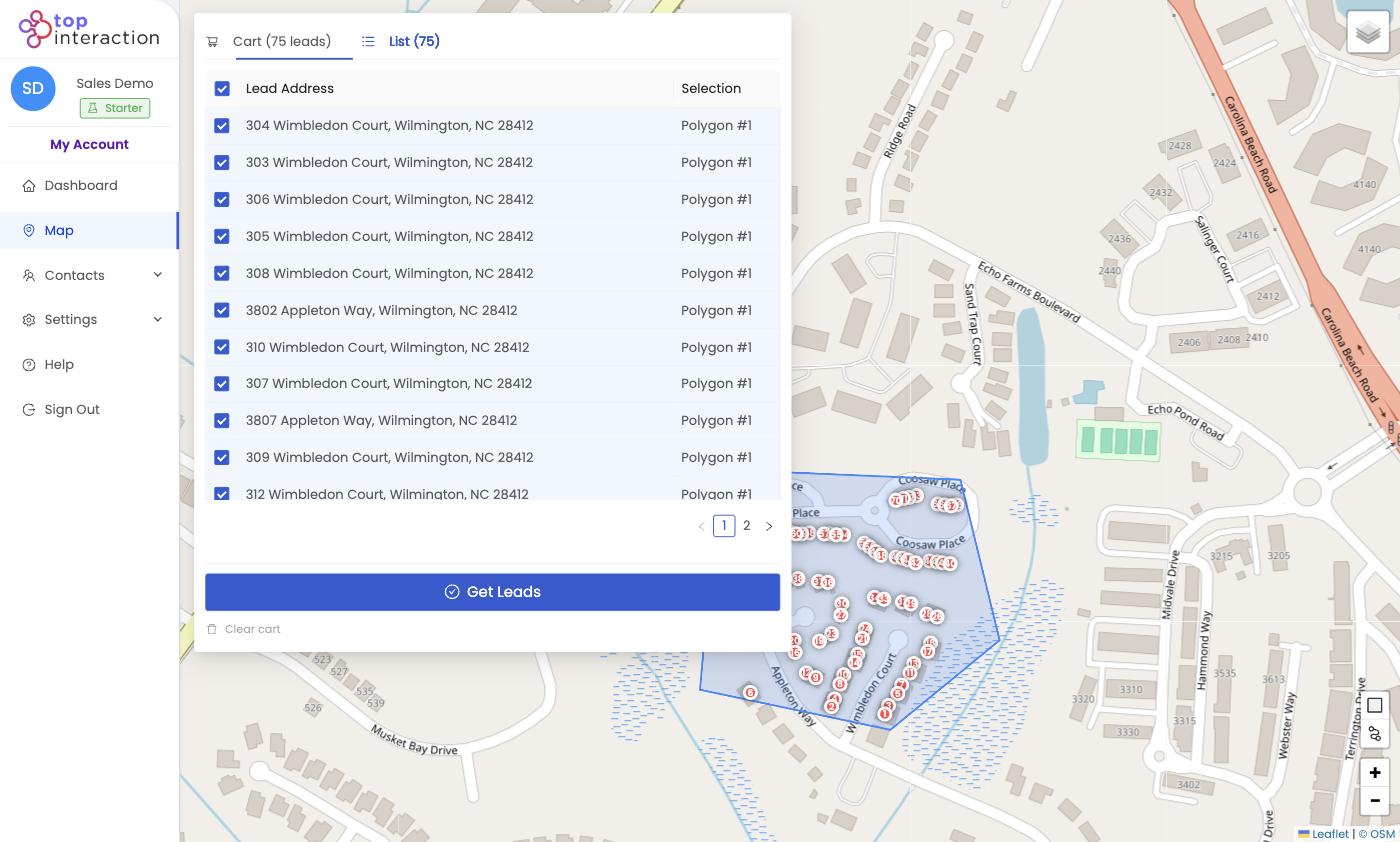
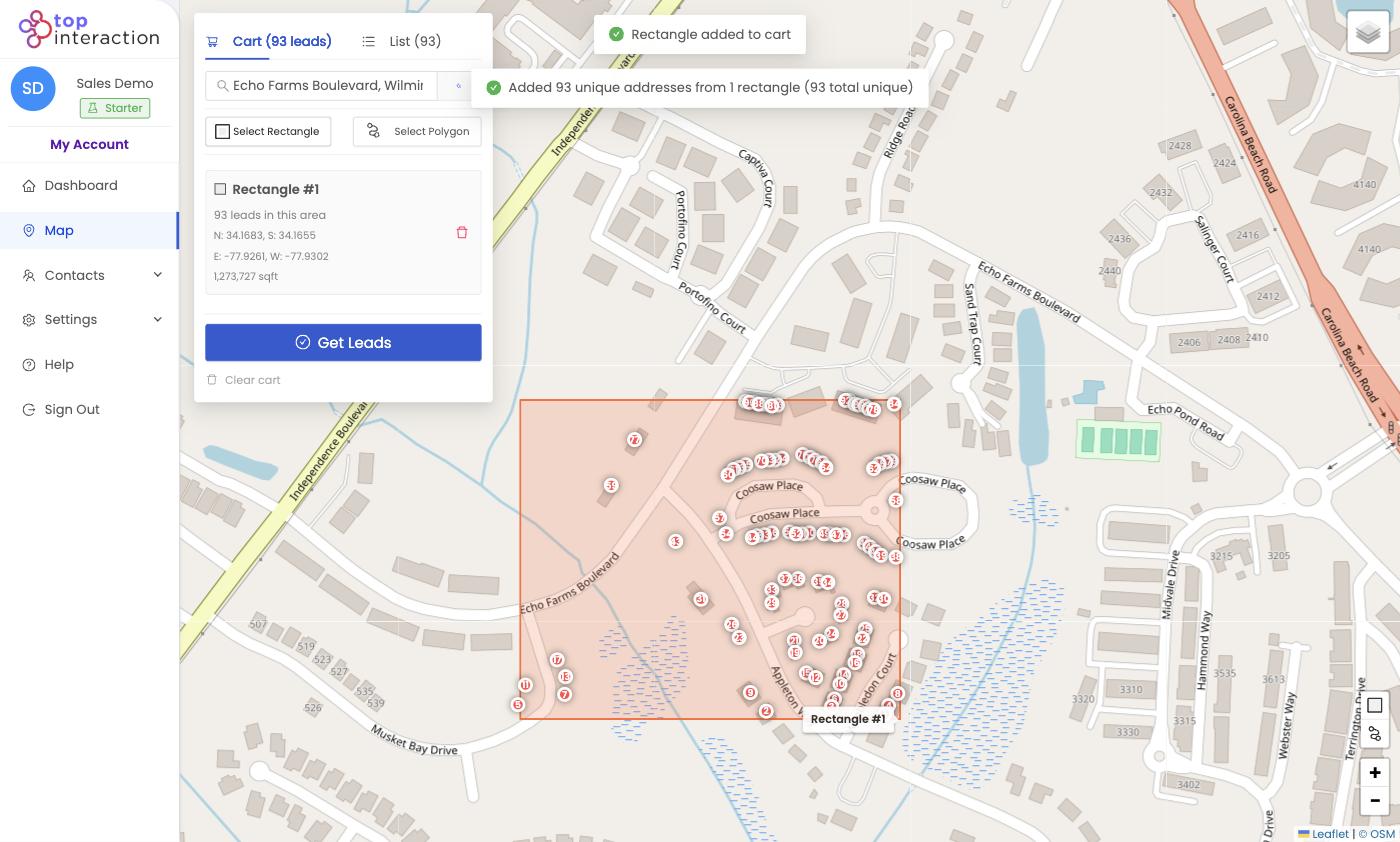
  2. 2. Choose the surrounding streets Draw the exact neighborhood your team wants to work.
  3. 3. Review available properties See the available property records inside your territory.
  4. 4. Build your Audience Select the properties that belong in the campaign.
  5. 5. Organize the work Enrich selected contacts, assign ownership, use List or Board View, or export.
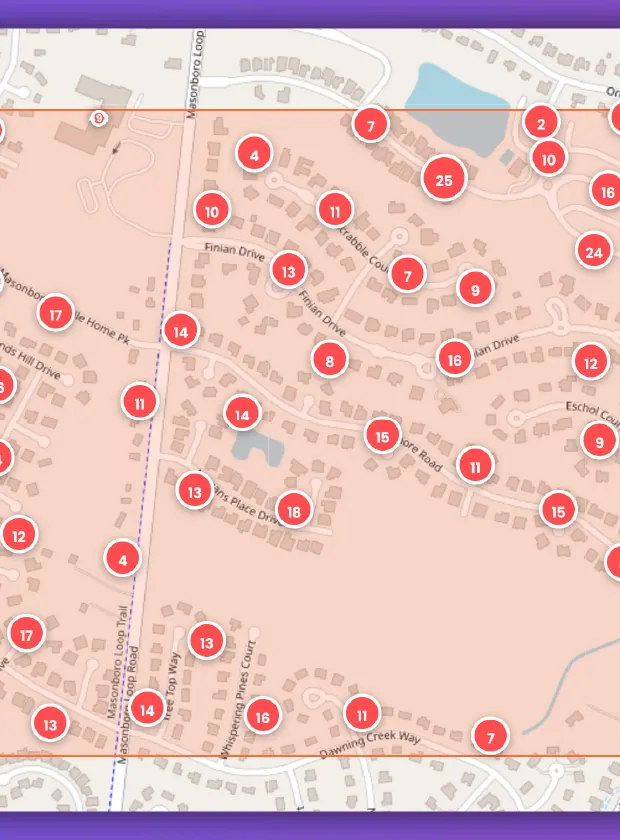
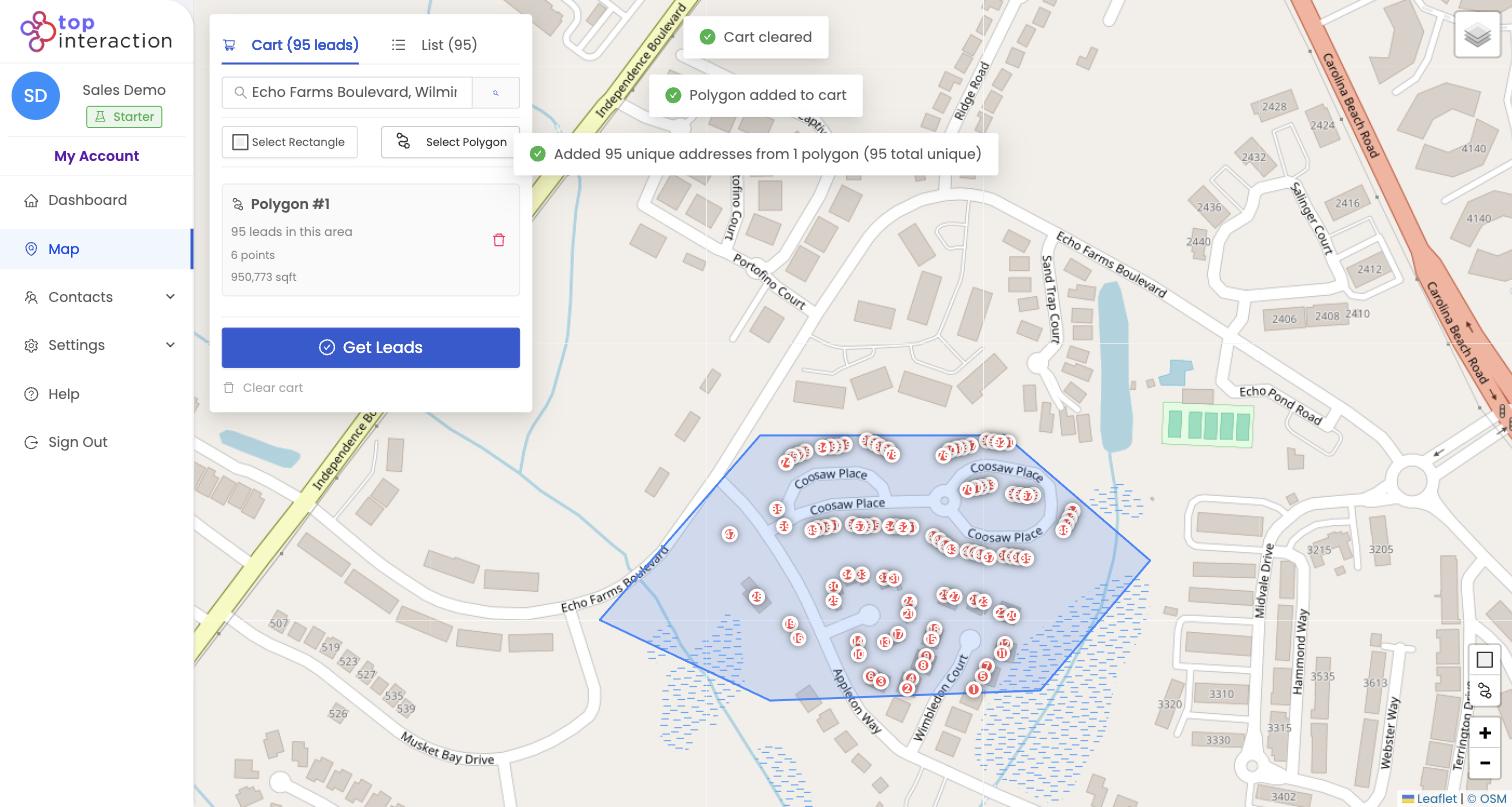
Completed roofing job with polygon around nearby blocks
Outcome

Know Exactly Where Your Reps Should Work.

A ZIP code is too broad. “Go around yesterday's job” is too vague.

With Territory, you decide exactly which streets belong in the campaign.

Search a property. Move around the neighborhood. Draw the boundary. Then build the campaign from what is actually inside it.

Choose the streets before you choose the prospects.

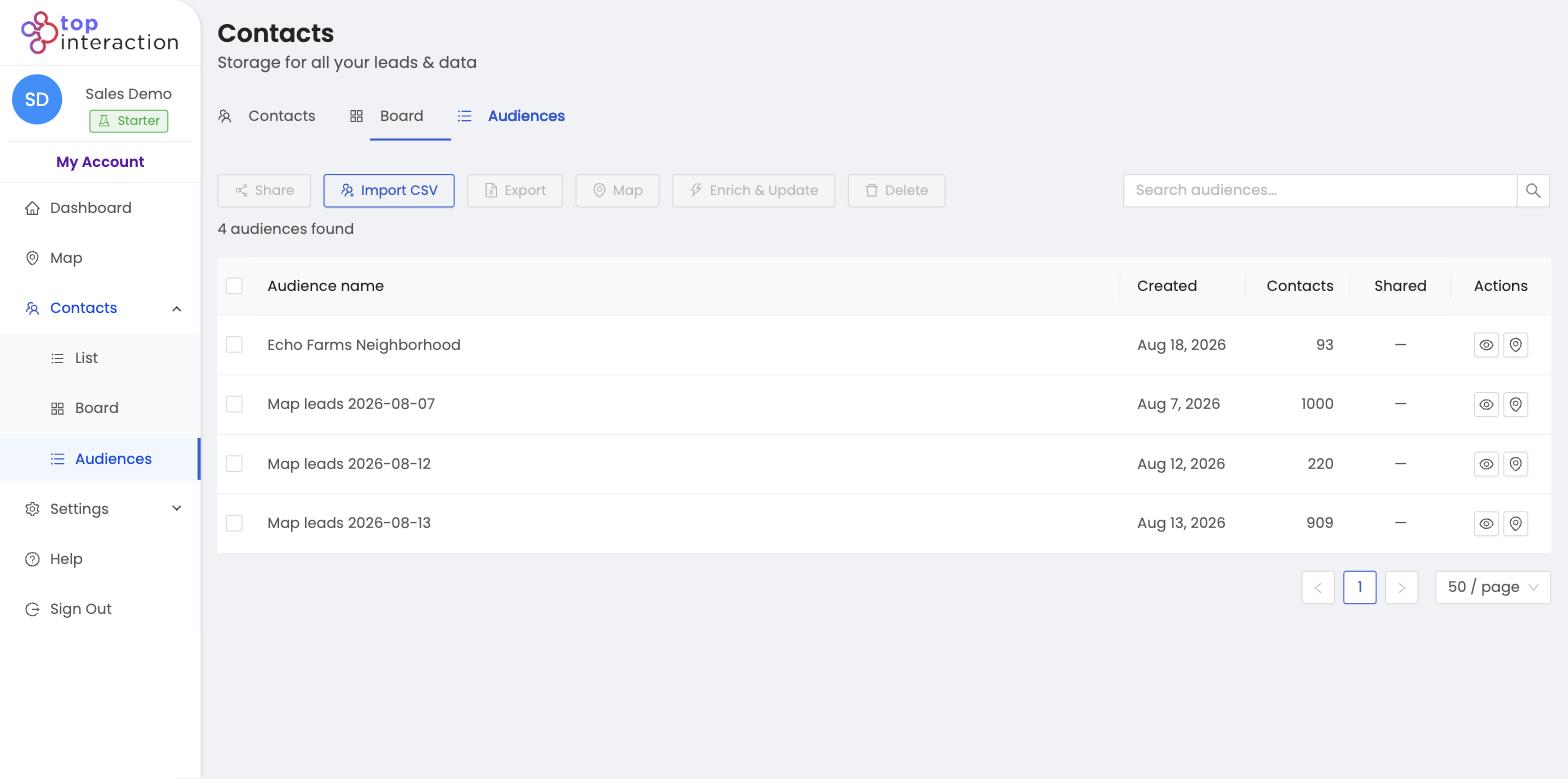
Audiences

Turn the Neighborhood Into a List Your Team Can Actually Work.

Once you've defined the territory, review the available properties inside it. Select the properties that make sense for the campaign and save them together as an Audience.

Instead of: “Here are a few hundred addresses.”

Your team gets: “This is the campaign around the Johnson roof.”

Audiences keep geographic campaigns distinct, organized, and easier to return to.

Build Your First AudienceStart Free
Map with polygon and selected properties

Map

Create Audience in Territory

Create Audience

Audience view

Audience View

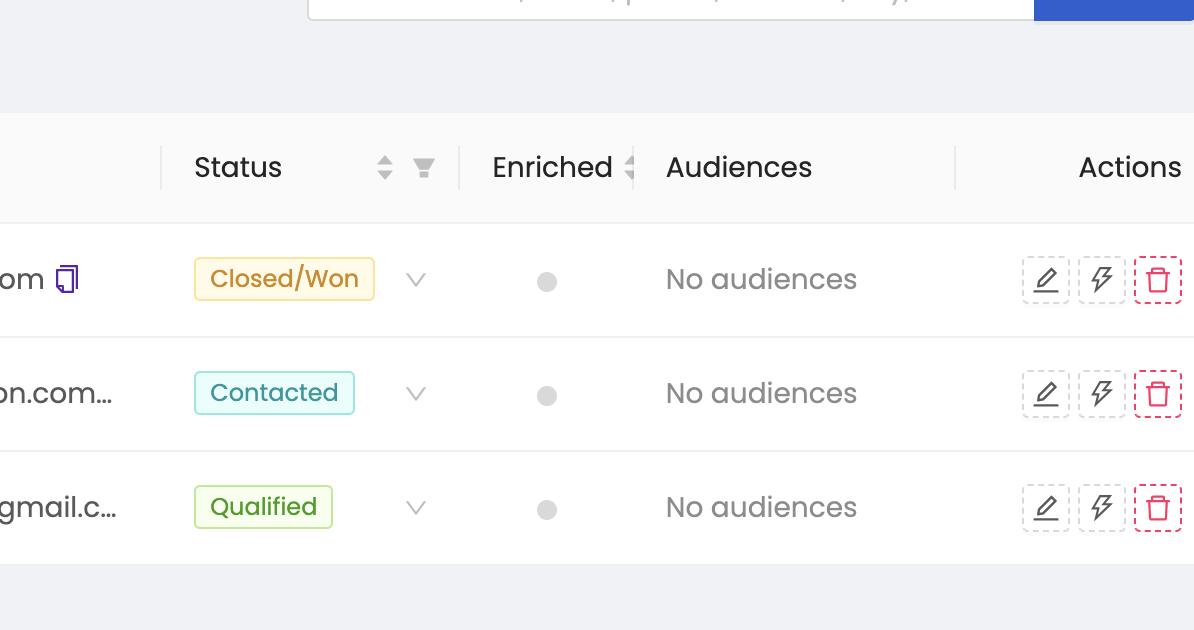
Territory contact drawer showing enrichment
Enrichment

Spend Enrichment Where It Matters.

Not every property in a market needs to become a fully enriched contact.

Territory lets you define the neighborhood first and decide which selected records are worth enriching.

Depending on data availability, enrichment may return additional contact information associated with a selected record.

Map first. Selection second. Enrichment third.

Contact information availability varies by property.

Accountability

Give Every Prospect an Owner.

Building the list is only useful if someone actually works it.

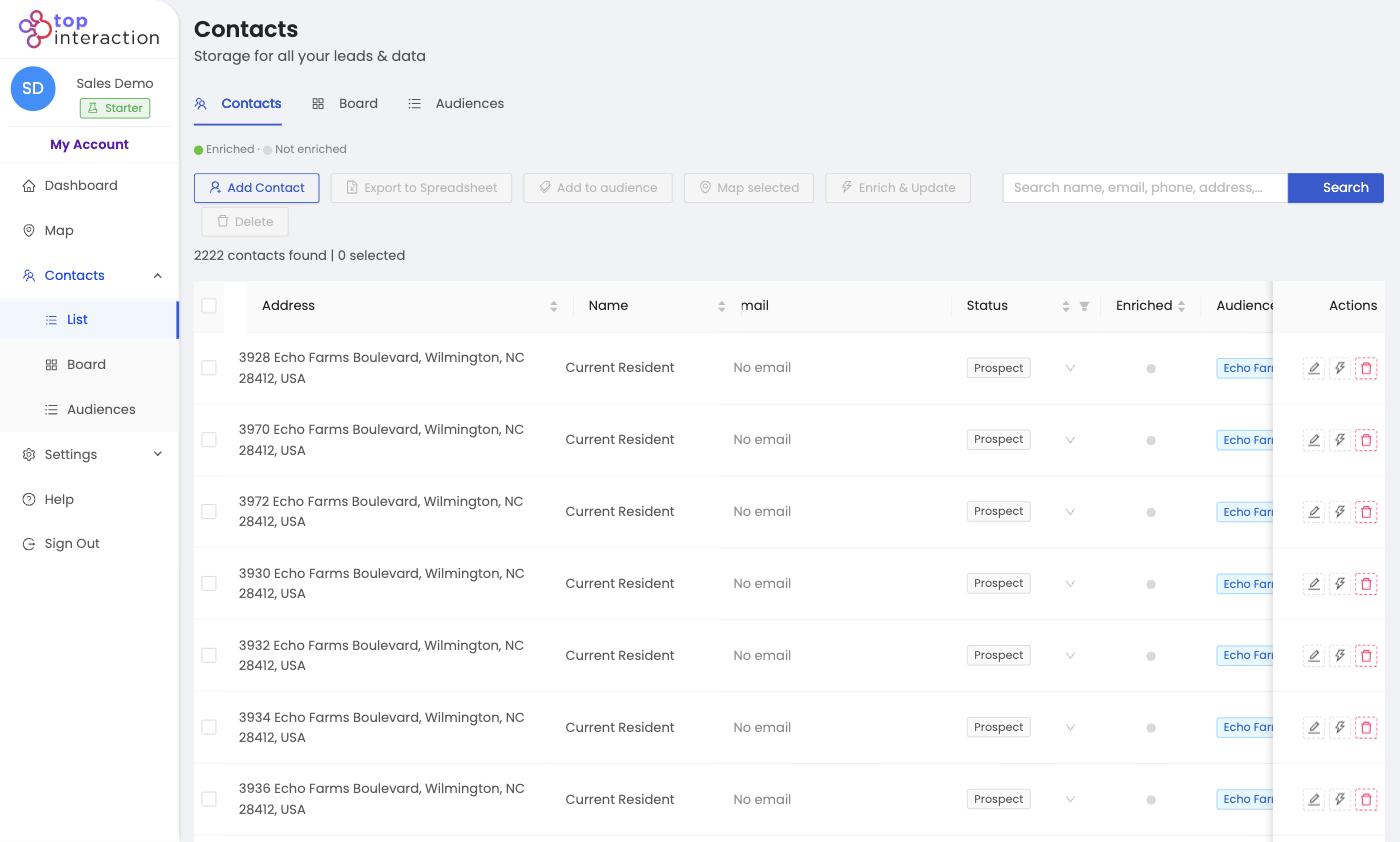
Use Territory to organize contacts, assign responsibility, add notes, and track progress as the team moves through the neighborhood.

  • Which prospects are new?
  • Which rep owns this contact?
  • Who has already been contacted?
  • What needs follow-up?
  • Which opportunities are still active?
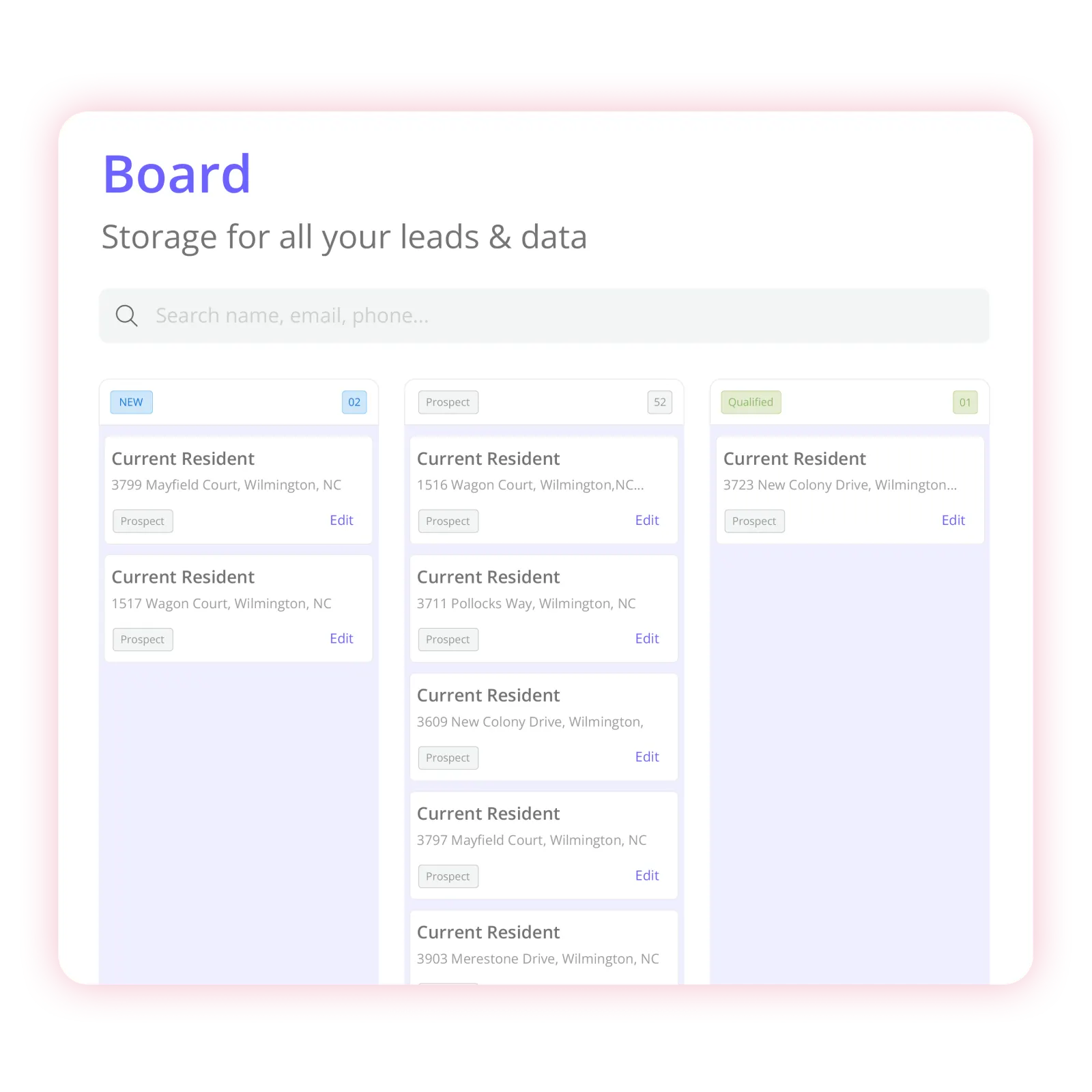
Territory Board View with New, Assigned, Contacted, and Follow Up columns
Territory list ready for CSV export
Export

Your Prospect List Isn't Trapped in Territory.

Some roofing teams will manage the campaign inside Territory. Others already have systems for canvassing, direct mail, CRM follow-up, or other permitted outreach.

When you need the data somewhere else, select the contacts you want and export them to CSV.

Build it geographically. Organize it in Territory. Export it when you're ready.

Use exported data with the tools and workflows your team already uses.

Complete roofing workflow

From Finished Roof to Organized Neighborhood Campaign.

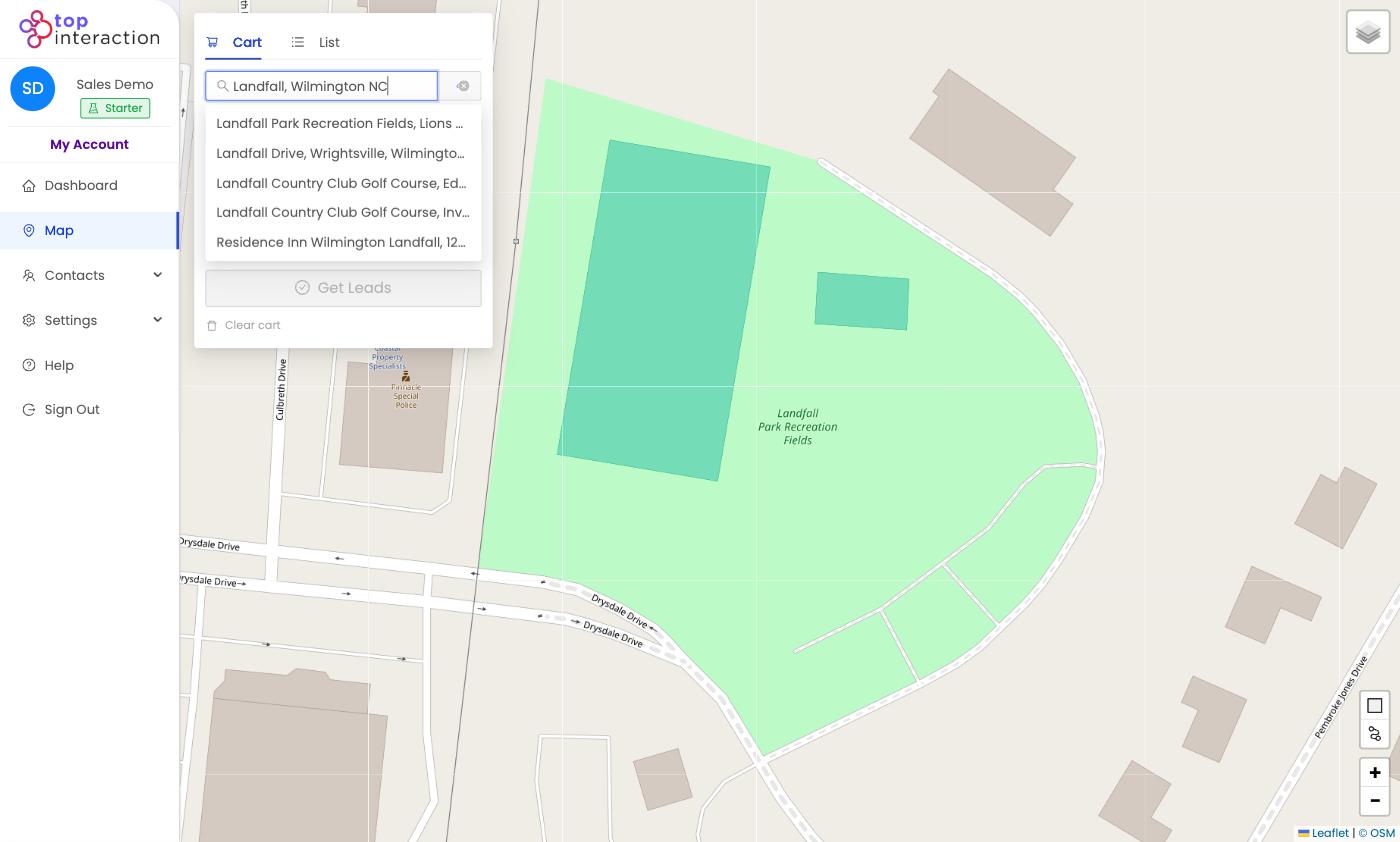
Territory address search centered on a completed roofing job
Step 01

Start With the Job

Search a recently completed roofing address, a target neighborhood, or another area your team already wants to work.

Outcome: A geographic starting point.

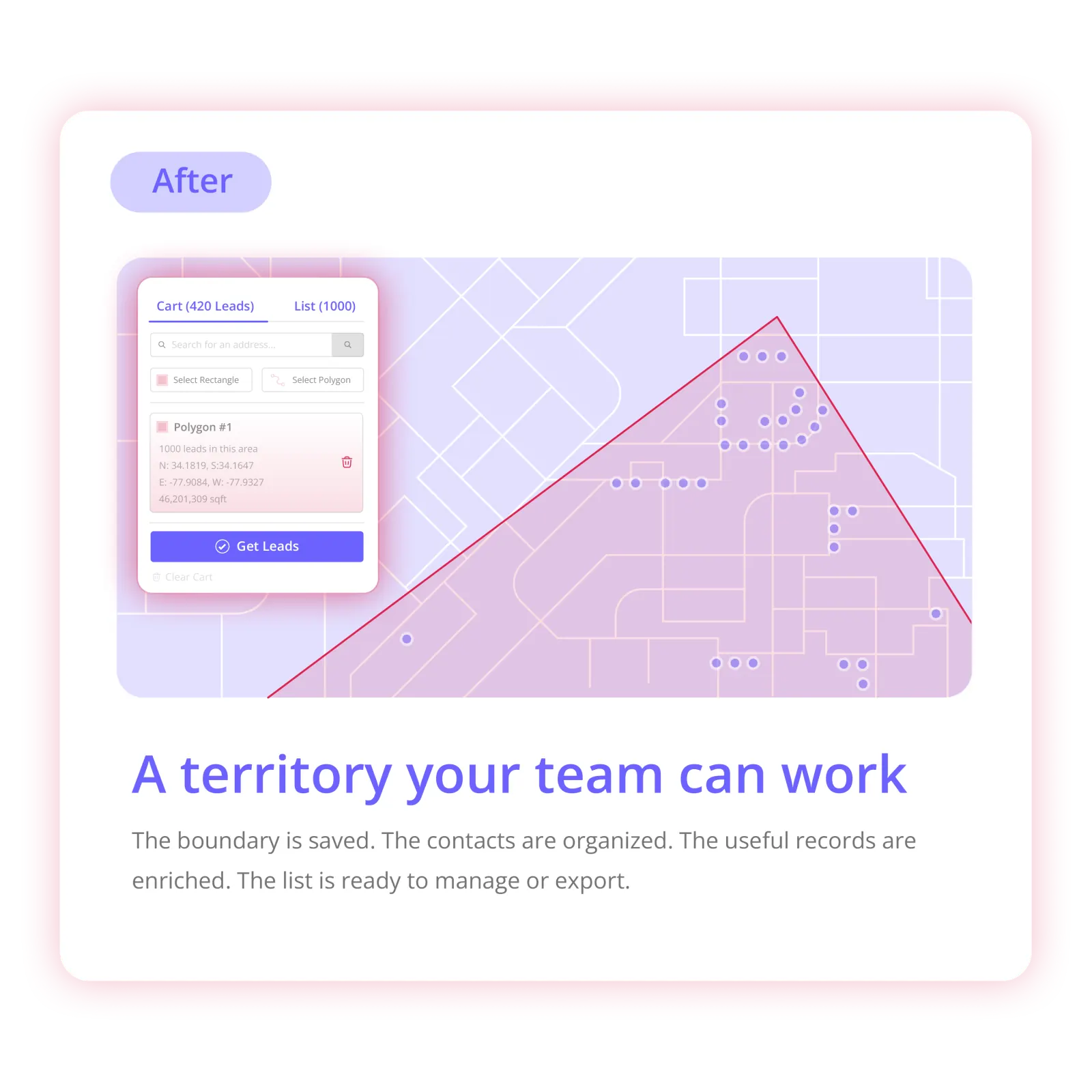
Polygon drawn around neighboring streets in Territory
Step 02

Draw the Territory

Choose the streets that belong in this campaign instead of relying on an entire ZIP code or an informal rep boundary.

Outcome: A clearly defined sales area.

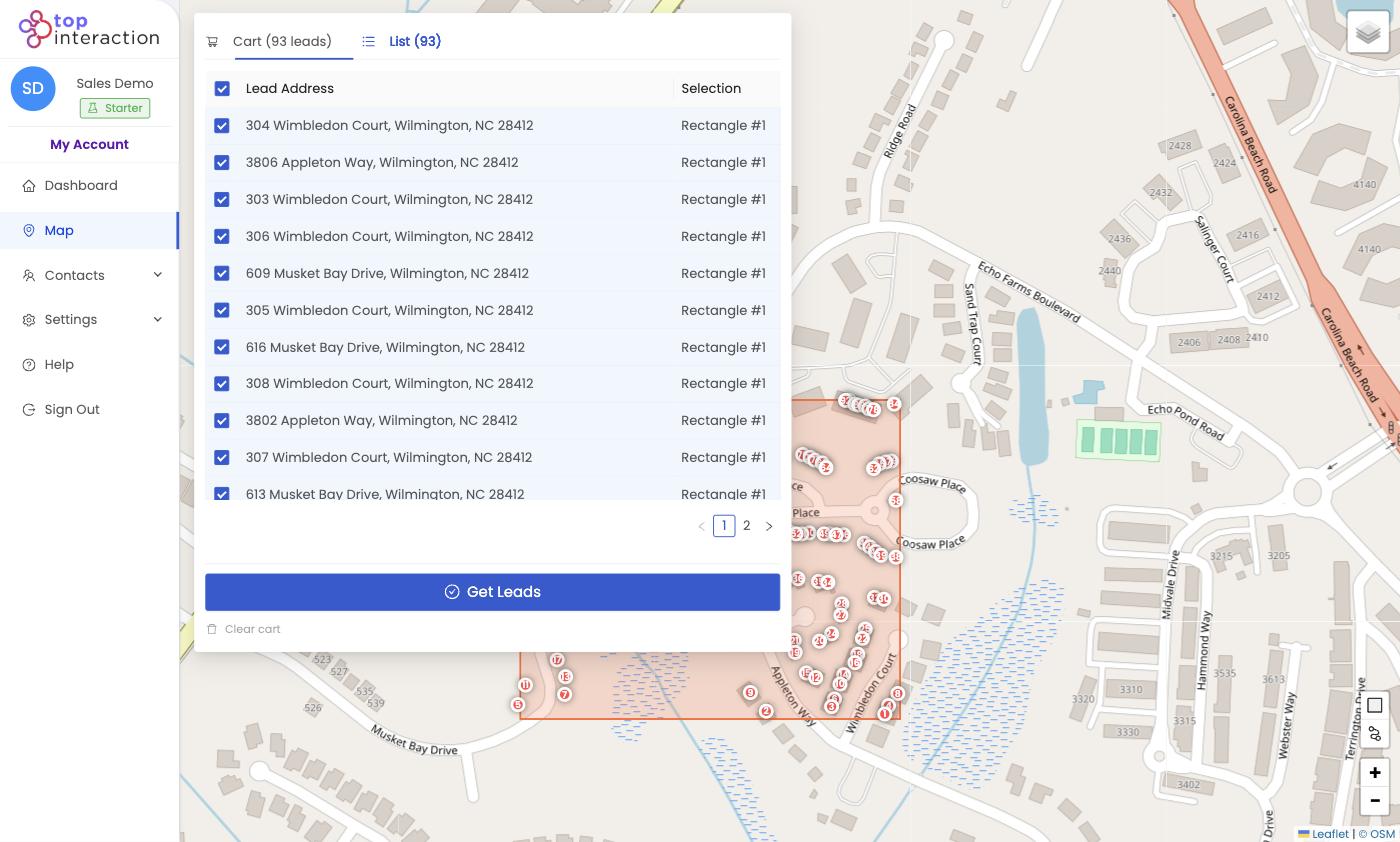
Selected properties saved as a Territory Audience
Step 03

Build the Audience

Review available properties, choose the ones you want to work, and save them into a dedicated Audience.

Outcome: An organized prospecting list tied to a real place.

Territory contact drawer with enrichment
Step 04

Enrich What Matters

Use enrichment on selected contacts when additional information is useful and available.

Outcome: Additional contact information focused on your selected prospects.

Board View with assigned roofing prospects
Step 05

Assign the Campaign

Give contacts ownership, update statuses, record notes, and organize the work in List or Board View.

Outcome: Reps know what belongs to them and managers can see campaign progress.

Territory list ready for CSV export
Step 06

Export When Needed

Move selected records into external workflows through CSV export.

Outcome: Your Territory data can continue into your existing sales process.

For roofing teams

Built Around How Roofing Sales Actually Works

After every completed job

Don't Let a Completed Roof Be the End of the Campaign.

Your company already paid to acquire the customer. Your trucks were already in the neighborhood. Your signage may already have been visible.

Territory gives you a repeatable post-job process:

Complete the job → Open the address → Choose surrounding streets → Build the Audience → Assign the campaign

Post-job neighborhood campaign in Territory
Manually chosen Territory area for post-storm prospecting
Storm response

When Timing Matters, Define the Area First.

Your roofing team may already know the neighborhoods it wants to investigate after a storm. Territory helps turn that knowledge into a defined prospecting campaign.

Important: Territory does not determine whether a specific roof is damaged. Your team decides which geographic areas are relevant.

You choose the affected area. Territory organizes the campaign.

New market

Entering a New Market? Start One Neighborhood at a Time.

Instead of purchasing an enormous list for an entire county, define the exact areas where you want your roofing team to start.

One market → several deliberate campaigns.

Map with multiple deliberate territory areas
Neighborhood A
Neighborhood B
Neighborhood C
Why Territory

Your Roofing CRM Tracks the Job.
Territory Helps You Find the Next Place to Work.

Territory focuses on the geographic prospecting work that happens before the next job exists.

Traditional roofing workflow Territory
Start with a contact or jobStart with an area
Store existing opportunitiesBuild new geographic Audiences
Track project operationsOrganize neighborhood prospecting
Manage the roofing jobDefine where reps prospect next

Territory isn't trying to replace your roofing CRM. It helps fill the gap between “We should work that neighborhood.” and “Here's the campaign.”

For sales managers

Your Reps Shouldn't Have to Decide the Territory While They're Standing in It.

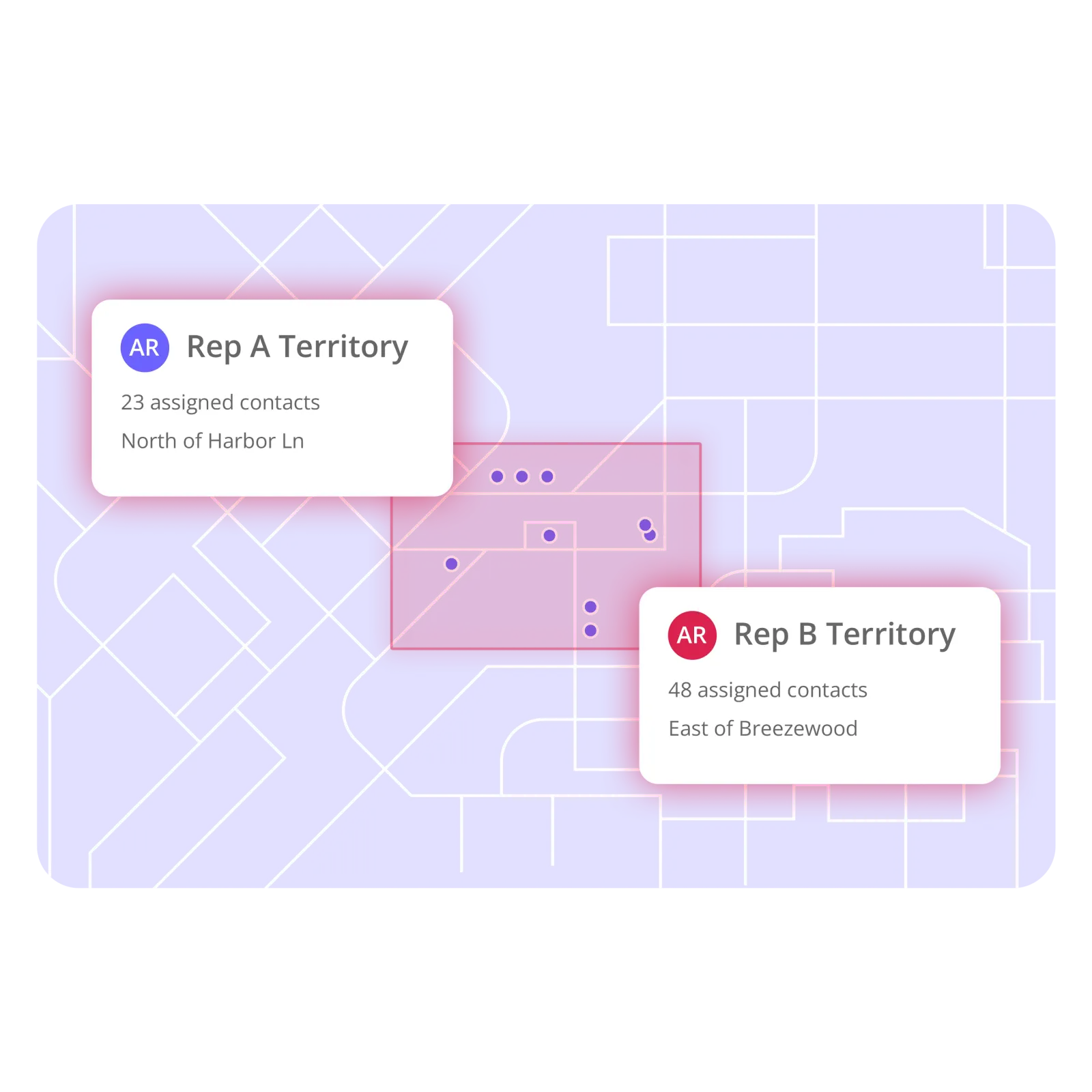
Sales managers can prepare the campaign before reps begin working. Define the area. Build the Audience. Assign the contacts.

Instead of: “Go knock around the neighborhood near yesterday's job.”

Tell them: “This is your Audience. These are your streets. These are your prospects.”

Assigned rep territories for a campaign

Pricing

Start With One Neighborhood. Grow Into a Team Workflow.

Territory plans scale with the amount of prospecting your team needs to organize. Switch to yearly billing and save 17%.

Contact sales →

Starter

Perfect for getting your first neighborhoods organized and exported—fast.

$55 per month · $660/yr
Seats
2
2 included
Sign up

Includes

  • 2 seats included
  • 25,000 active contacts
  • 150 Enrich Credits/mo (1,800/yr billed annually)
  • 10,000 exports/mo
  • Map-based territory drawing
  • Shared team territories
  • CSV export
  • Email support

Team

Built for real operations—multiple reps, shared lists, and repeatable campaigns.

$179 per month · $2,148/yr
Seats
5
5 included
Get started now

Everything in Pro, plus

  • 5 seats included
  • 150,000 active contacts
  • 500 Enrich Credits/mo (6,000/yr billed annually)
  • 75,000 exports/mo
  • Advanced reporting
  • Dedicated onboarding
  • Phone support

Enterprise

For organizations that need custom volume, security, and rollout support.

Custom tailored to your team
Contact sales

Everything in Team, plus

  • Custom seats and data volume
  • Dedicated onboarding
  • Security & procurement review
  • Named support contact
  • Flexible billing
  • Roadmap input for field workflows
  • Roofing
  • Solar
  • HVAC
  • Home services
  • Multi-crew sales

Compare plans & features

Feature Starter $55/mo Pro $110/mo Popular Team $179/mo
Limits
Seats included 2 3 5
Active contacts 25,000 75,000 150,000
Enrich Credits / mo 150 300 500
Enrich Credits / yr (annual) 1,800 3,600 6,000
Exports / mo 10,000 25,000 75,000
Core
Map-based territory drawing ✓ ✓ ✓
CSV export ✓ ✓ ✓
Shared team territories ✓ ✓ ✓
CRM export — ✓ ✓
Advanced reporting — — ✓
Support
Email support ✓ Priority Priority
Phone support — — ✓
Dedicated onboarding — — ✓

Need more than Team? Talk to us about Enterprise →

Product proof

See the Actual Territory Workflow.

You don't need to imagine what happens after signup. This is the same workflow you'll use inside Territory.

Choose an area
Build the Audience
Organize
Export
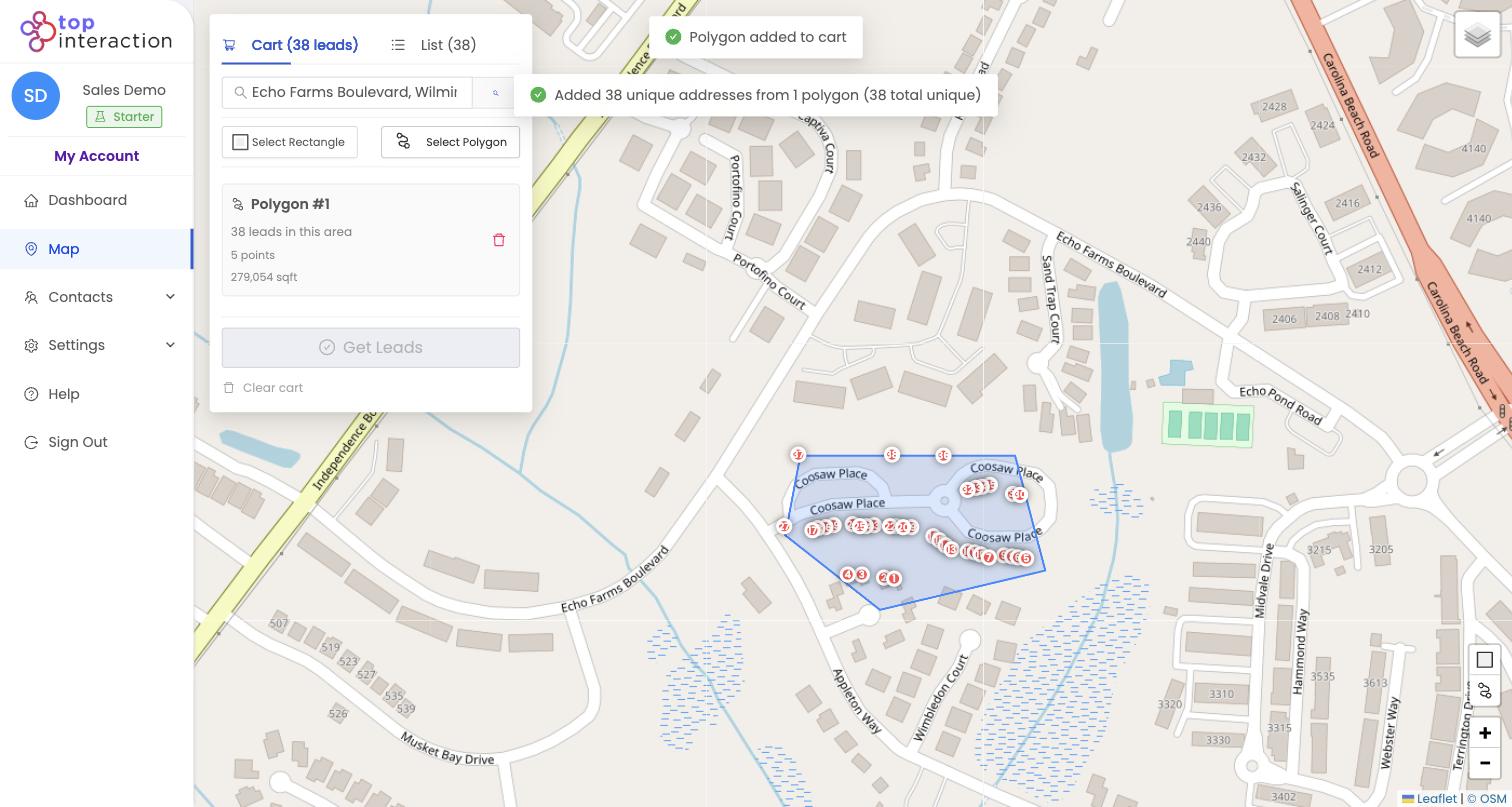
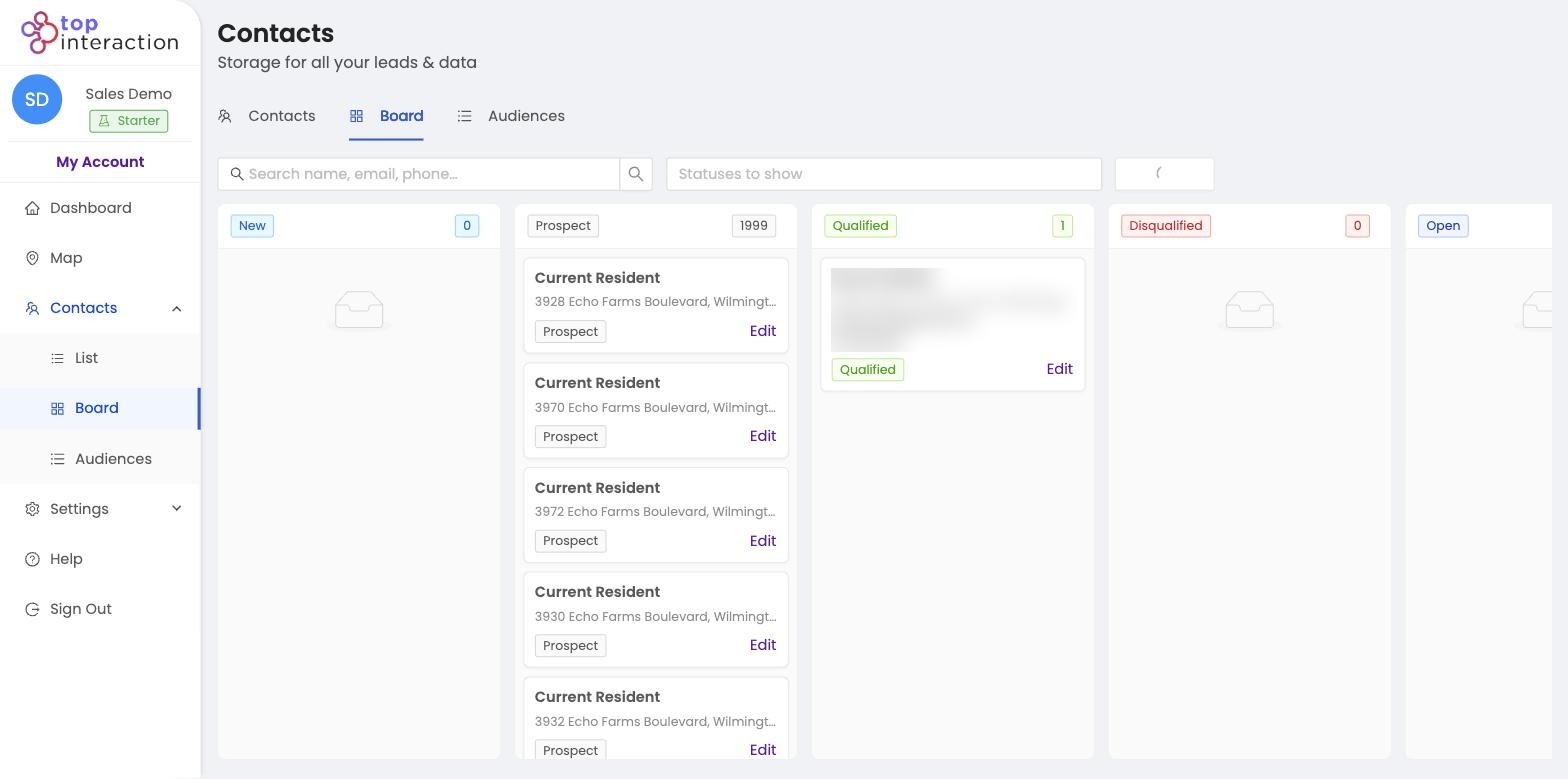
Territory map with a drawn neighborhood area 01

Choose an area.

Search a completed job and draw the streets your team wants to work. Actual Territory map.

Selected properties inside a Territory polygon 02

Build the Audience.

Review available properties, select what belongs in the campaign, and save them together. Actual selected-property workflow.

Territory Board View organizing campaign contacts 03

Organize the campaign.

Assign ownership, update statuses, and track progress in List or Board View. Actual campaign organization.

Territory contact list ready for CSV export 04

Export when needed.

Select the contacts you need and export to CSV for the tools your team already uses. Actual export action.

FAQ

Questions Roofing Teams Ask Before Starting

Still want to see it with your own neighborhood?

Build Your First Roofing TerritoryStart Free

Does Territory automatically find the 100 houses closest to my roofing job?

Not currently. Territory gives you more control: search the job address and draw the exact area you want to prospect. You choose which surrounding streets belong in the campaign.

Does Territory tell me which homes need a new roof?

No. Territory organizes available property and contact data geographically. It does not inspect roofs or determine whether a particular property needs roofing work.

Can Territory identify storm-damaged roofs?

No. Your team determines which areas are relevant after a storm. Territory can then help you define that area and organize the available properties inside it.

Do all properties have phone numbers and email addresses?

No. Contact information depends on data availability. Enrichment can add available information to selected records, but coverage is not guaranteed.

Can I organize prospects between multiple sales reps?

Yes. Territory supports team users, contact assignment, statuses, notes, List View, and Board View so campaigns can be divided and managed across your team.

Can I export my roofing prospect list?

Yes. Selected contacts can be exported to CSV for use with other systems and permitted outreach workflows.

Does Territory replace my roofing CRM?

Probably not — and it doesn't need to. Territory focuses on geographic prospecting: choosing an area, building an Audience, enriching selected contacts, organizing ownership, and exporting records when needed. Your existing roofing systems can continue handling the rest of your business.

Does Territory send postcards?

Territory does not currently provide automated postcard fulfillment. You can export appropriate contacts and use the resulting data with an external mailing workflow.

Does Territory integrate directly with JobNimbus?

A direct JobNimbus integration should not be advertised as live until it is released. Today, CSV export provides a flexible way to move appropriate records into external workflows.

Is Territory only for door-to-door canvassing?

No. Roofing teams can use geographic Audiences for canvassing, permitted phone or email outreach, direct-mail preparation, market expansion, sales-team assignments, and other compliant prospecting workflows.

Can Territory guarantee roofing leads or appointments?

No. Territory gives your team the geographic prospecting tools and data workflow. It does not guarantee homeowner interest, appointments, projects, or sales.

Territory map ready for your next roofing neighborhood campaign

Your Next Roofing Campaign Has to Start Somewhere. Start With the Map.

The next neighborhood your team works doesn't need to begin with a spreadsheet.

Start with a completed job. Choose the surrounding streets. Build the Audience. Give your reps a campaign they can actually work.

Build Your First Roofing TerritoryStart Free

Choose the area. Build the list.

Build Your First Roofing TerritoryStart Free