

Prospect Around Completed Jobs
Build a geographic prospecting audience around a job your team recently completed.
Territory
Your next customers could be just down the street.
 After the job
You just finished a roofing job. Instead of moving on and starting your next prospecting campaign from scratch, use Territory to build a targeted homeowner list around the neighborhood where you already worked.
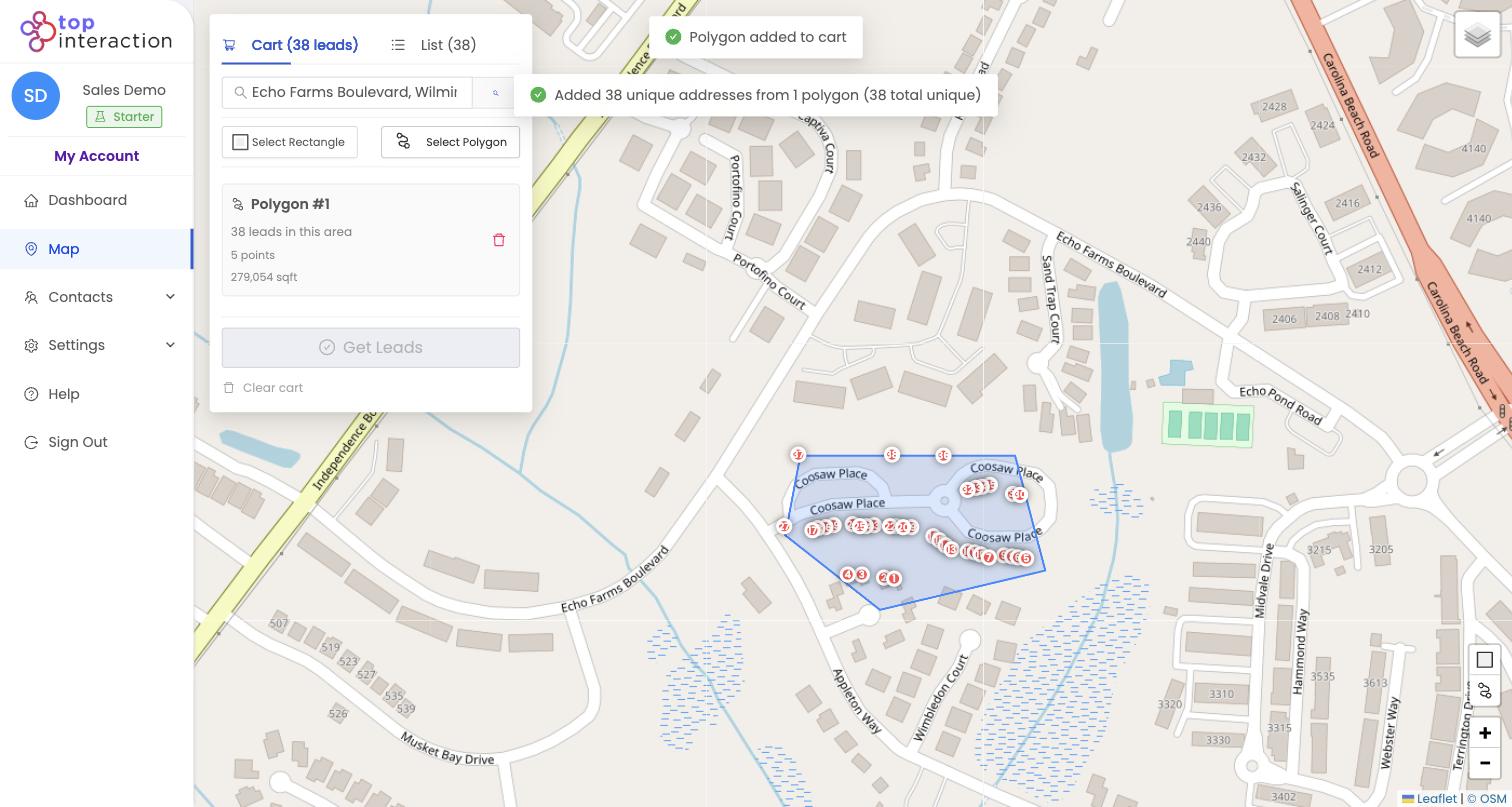
Draw the streets you want to reach, select available properties, enrich the contacts you need, and organize your next campaign—all from one map.
Every completed roofing job gives your business a new geographic starting point—other homes on the same street, around the corner, and throughout the surrounding neighborhood.
Turning those properties into an organized campaign used to mean searching addresses, building spreadsheets, finding homeowner information, and coordinating your sales team. Territory brings those steps into one workflow.
One completed job. One neighborhood. One organized prospecting campaign.
From job to campaign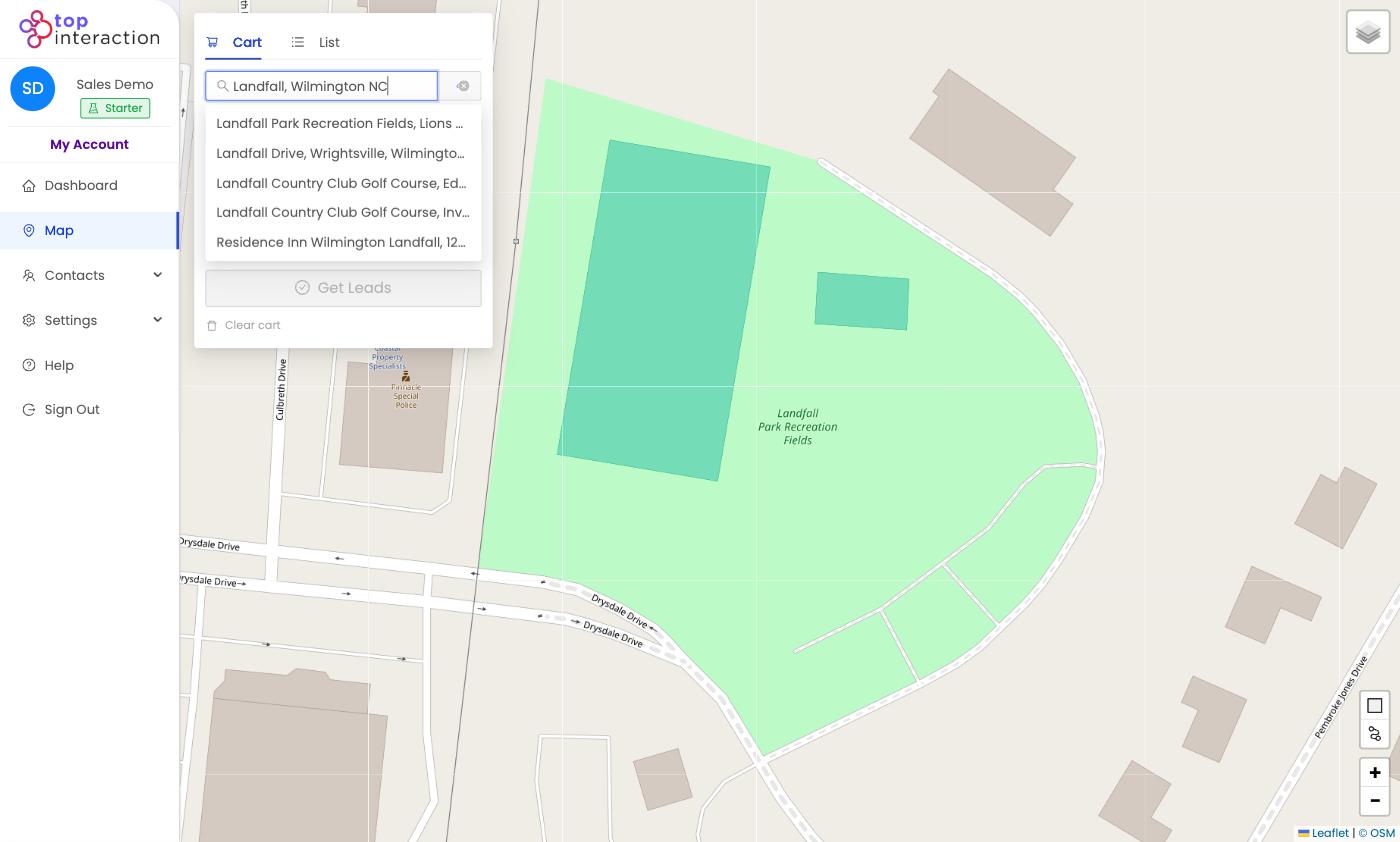 Step 1
Search for the address of a recently completed roofing project.
Use Territory's map to explore the surrounding neighborhood and identify the streets where your team wants to prospect next.
You decide how large or small the campaign should be.
Step 2Use Territory's rectangle or polygon drawing tools to select a specific area.
Target the surrounding blocks, nearby streets or a larger neighborhood.
Review the available properties inside your selection and choose the records relevant to your campaign.
Your territory. Your target area.
 Step 3
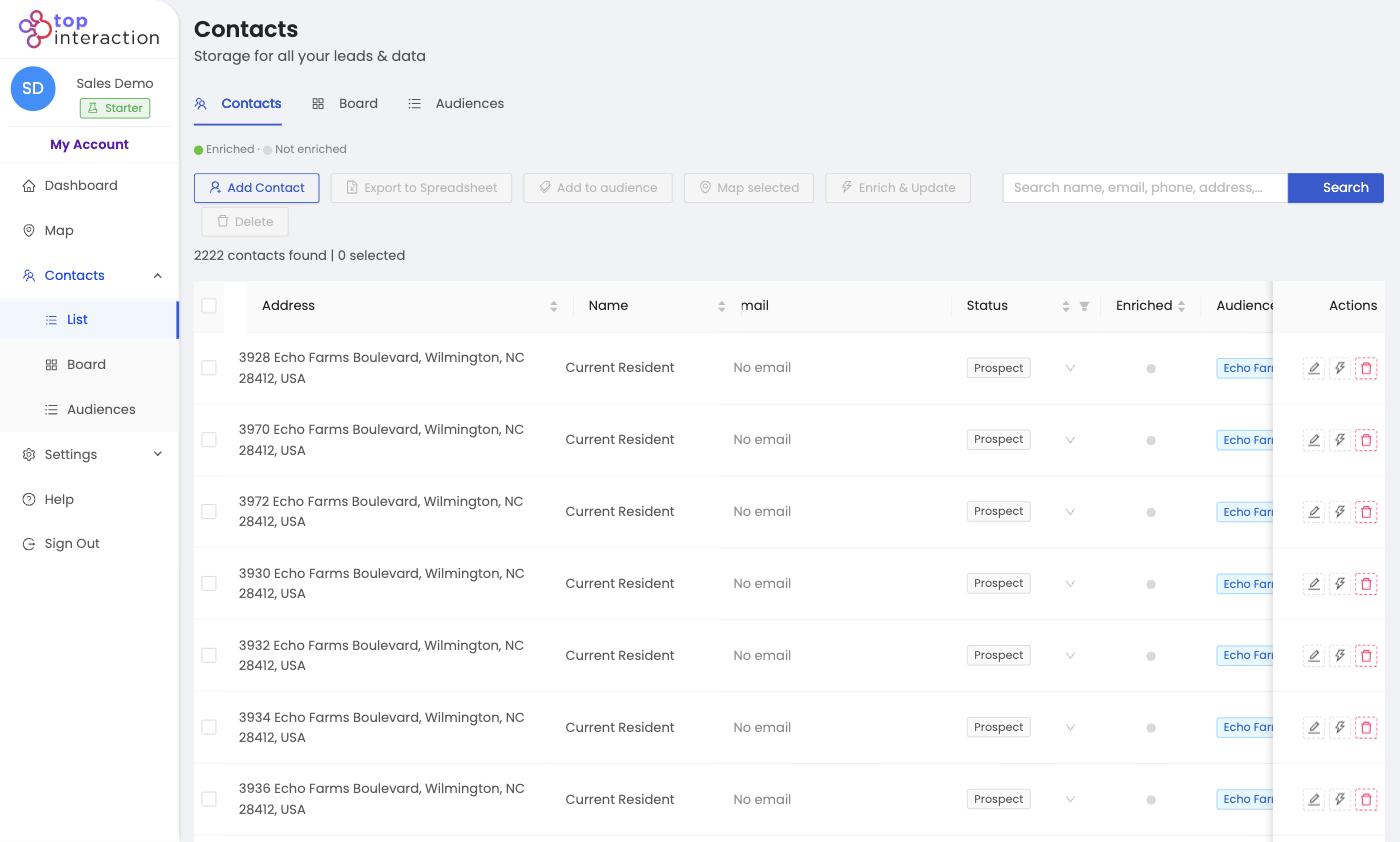
Select the available properties you want to pursue and create an Audience.
Your new campaign now has an organized group of prospect records associated with your chosen geographic area.
No manually compiling hundreds of addresses into a spreadsheet.
 Step 4
Need more than property addresses?
Use Territory's individual or bulk enrichment tools to retrieve additional available homeowner and contact information for selected records.
Build your geographic campaign first. Then use your Enrich Credits on the contacts you actually intend to pursue.
Contact information and enrichment results depend on data availability.
 Step 5
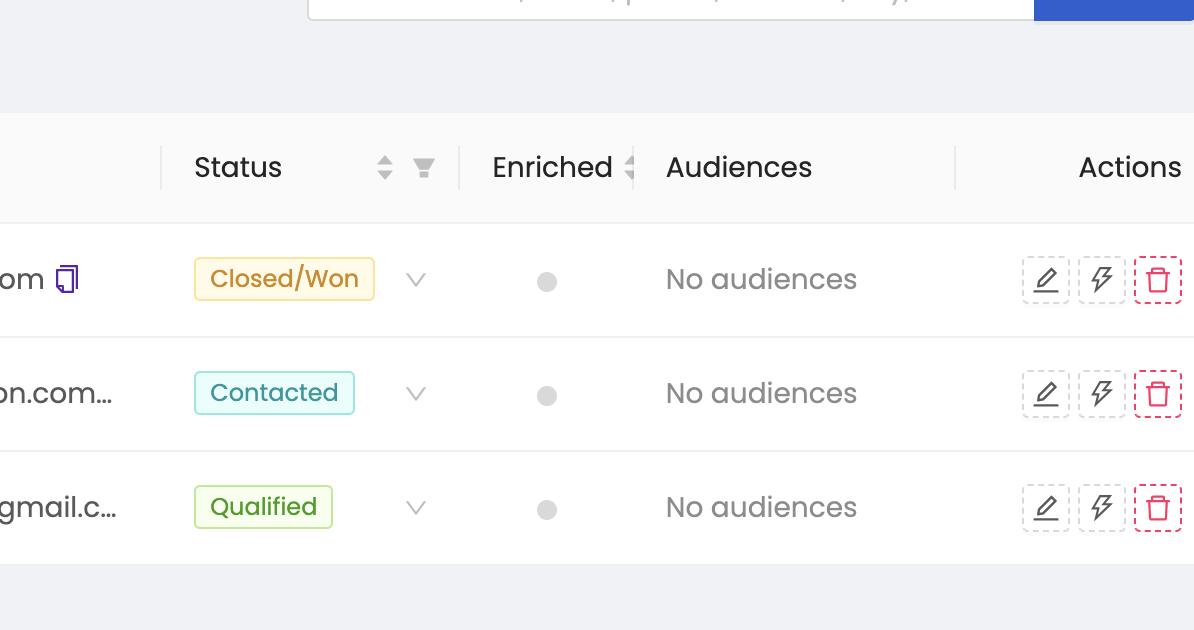
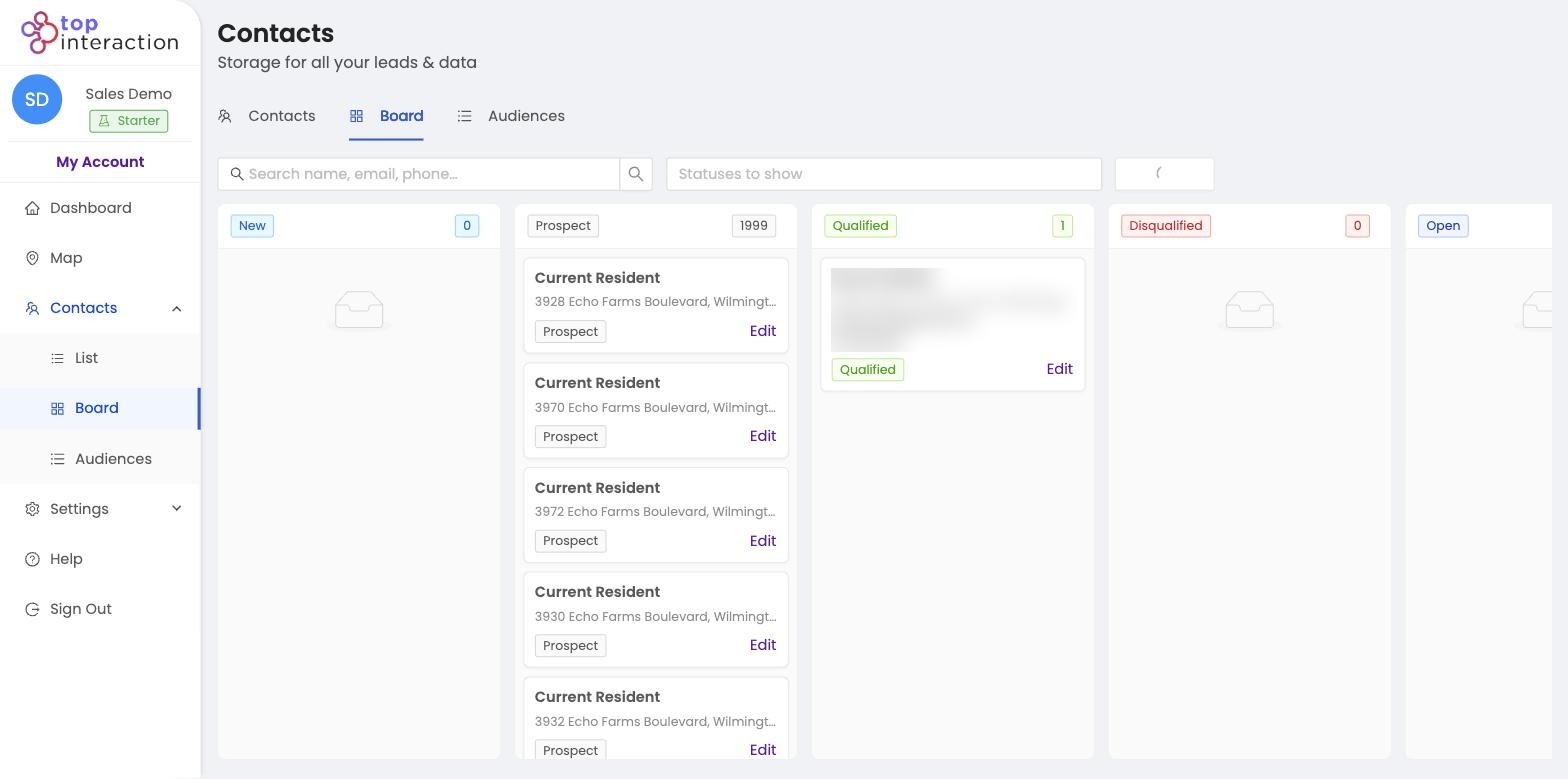
Keep the campaign organized with Territory's lightweight CRM tools.
 Create audiences for different neighborhoods.
Assign contacts to team members.
Track prospect statuses.
Add notes to contact records.
Manage progress using List View or Board View.
Export your campaign when you're ready.
Create audiences for different neighborhoods.
Assign contacts to team members.
Track prospect statuses.
Add notes to contact records.
Manage progress using List View or Board View.
Export your campaign when you're ready.
Keep your next neighborhood campaign organized without replacing your existing roofing management software.
Repeatable prospectingTerritory helps roofing teams turn geographic prospecting into a repeatable process.
Build a geographic prospecting audience around a job your team recently completed.
Define geographic areas for your sales representatives and organize contacts around those areas.
Build property-based audiences for direct mail, canvassing or other permitted outreach activities.
Use audiences, assignees, notes and pipeline stages to coordinate how prospects are managed.
Don't just finish the job. Build your next campaign around it.
Guided walkthroughLet's turn one neighborhood into your first campaign.
Have a recent roofing job or neighborhood you want to target?
We'll show you how to use Territory to draw the surrounding area, identify available properties and build an organized prospecting audience.
Bring an address or choose an area during your walkthrough.
We'll use the information you submit to respond to your request and arrange your walkthrough.
Your walkthrough request was submitted successfully. We'll follow up at the work email you provided to schedule your first territory walkthrough.
Built for roofing teamsTerritory is designed for businesses that need to identify, organize and work opportunities across specific geographic areas.
Whether you're an owner planning your next neighborhood campaign or a sales manager coordinating multiple representatives, Territory gives you a shared workspace for geographic prospecting.
Build repeatable prospecting campaigns around completed jobs and target neighborhoods.
Organize neighborhood audiences, assign contacts and monitor your team's prospecting workflow.
Define the areas you want representatives to work and prepare the corresponding prospect lists.
Manage multiple geographic campaigns and export contact data for use with your existing sales tools.
OnboardingStarting your first territory doesn't require building an entire CRM or importing an existing database.
Create your Territory account and complete the initial business setup.
Tell Territory where you want to prospect and open the lead map.
Draw an area, review available properties and create your first audience.
From there, enrich the contacts you need, organize your campaign or export the resulting list.
Prefer a personal introduction? Request a guided walkthrough and we'll help you through your first campaign.
PricingStart with the plan that matches your prospecting needs.
Additional plans and annual billing are available.
Subscription limits and applicable terms apply. Visit the official pricing page for current details.
FAQCommon questions about roofing prospecting around completed jobs.
Build Your First TerritoryGet StartedYes. Search for the job address, draw the surrounding area, review available properties and create an audience from the records you select.
Territory currently provides geographic search and manual rectangle or polygon selection. You choose the area you want to target and select the available records. Automated nearest-home selection is not being advertised as a current feature.
Territory provides individual and bulk enrichment to retrieve additional available contact information. Coverage varies, and phone numbers or email addresses are not guaranteed for every property.
Yes. Territory provides audiences, contact assignments, statuses and team-management features. Shared territory capabilities depend on your subscription plan.
No. Territory focuses on geographic prospecting, audience creation, contact enrichment and lightweight CRM organization. Export your campaign data to continue working with your existing tools.
Territory provides contact-list creation and exports. Automated postcard fulfillment is not part of this landing page's advertised workflow.
No. Territory helps you identify potential prospects within a geographic area. A property appearing in your campaign does not mean the owner has requested an estimate or consented to marketing.
You already know where your roofing team works.
Territory helps you turn that geographic knowledge into organized prospecting campaigns.
Search the neighborhood. Draw your territory. Build your list.
Territory by Top Interaction
Choose the area. Build the list.
Contact information availability varies. Customers are responsible for ensuring their outreach complies with applicable marketing and privacy laws.